
Running HDMI across a room, building, or multi-display setup can introduce signal loss, cable clutter, and difficult installation. The best 4K HDMI extenders send high-resolution video over Cat5e, Cat6, or Cat7 cable while adding useful features such as IR control, loop-out ports, HDR support, and power over cable.
This roundup compares 10 options across different distances, refresh rates, connection layouts, and control requirements. Use the buying guide below to narrow the choices based on your display resolution, cable path, and installation goals.
Best 10 4K Hdmi Extenders Picks for 2026
Best Long-Range Pick
OREI HDBaseT 400ft 4K Extender

- Extends 4K video up to 400 feet
- Supports 4K/60Hz, HDR, and Dolby Vision
- Includes two-way IR, RS-232, and HDMI loop-out
Best For: Professional long-distance AV installations
Best Simple Setup

- Extends 4K up to 130 feet over Cat6
- Reaches 230 feet at 1080P
- Adds IR, loop-out, display modes, and POC
Best For: Easy home and office dual-display installations
Best Midrange 4K Quality
OREI UHD-EX165H-K 165ft 4K Extender

- Delivers uncompressed 4K/60Hz video
- Supports HDR, 18Gbps, and HDCP 2.2
- Includes EDID, loop-out, and one-way IR
Best For: Reliable 4K/60Hz home and business AV links
Best for Remote PC Control
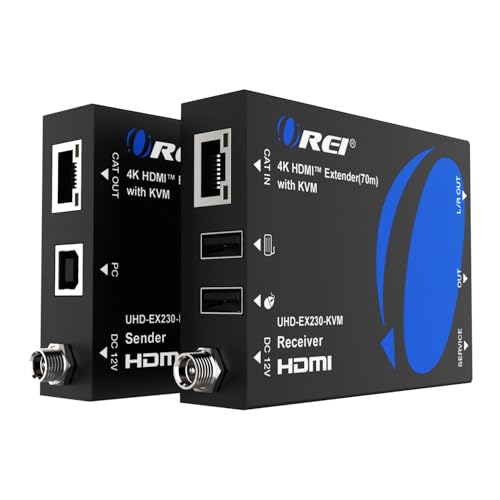
- Extends 4K/60Hz video up to 230 feet
- Adds remote USB keyboard and mouse control
- Includes loop-out, EDID, and analog audio output
Best For: Remote PC, presentation, and control-room setups
Reliable 4K Basics

- 4K@30Hz to 131 feet over CAT5e/6/7
- HDMI loop-out with EDID copy
- One-way IR and single-adapter PoC
Best For: Direct-cable home theater, classroom, and CCTV installations
High-Bandwidth Pick
OREI HD-EX196E-K 4K60 HDMI Extender

- 4K@60Hz YUV 4:4:4 and 18Gbps bandwidth
- Up to 230 feet over CAT6/6A/7
- HDR10+, Dolby Digital, and PoC support
Best For: Long-range indoor 4K60 home theater and presentation setups
Most Flexible Setup
J-Tech Digital JTECH-EX230V2 4K Extender

- 4K@60Hz 4:4:4 up to 230 feet
- Downscales remote output to 1080p
- Loop-out, PoC, and bi-directional IR
Best For: Mixed-resolution systems needing local monitoring and flexible control
Best Multi-Display Pick
OREI 1x4 HDMI Extender Splitter
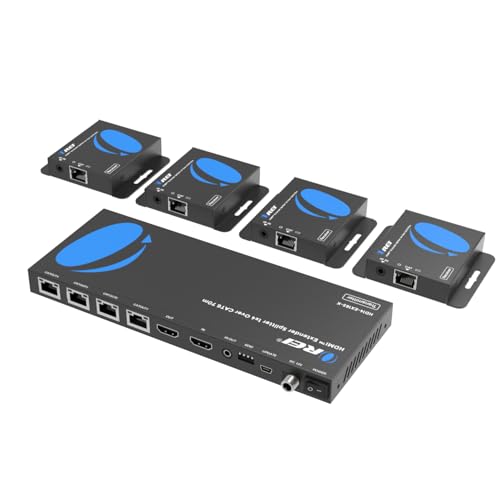
- Sends one HDMI source to four displays
- 4K@30Hz up to 165 feet
- PoC, IR pass-back, and local loop-out
Best For: Multi-screen meeting rooms and exhibitions
Best Long-Range Single-Link Pick
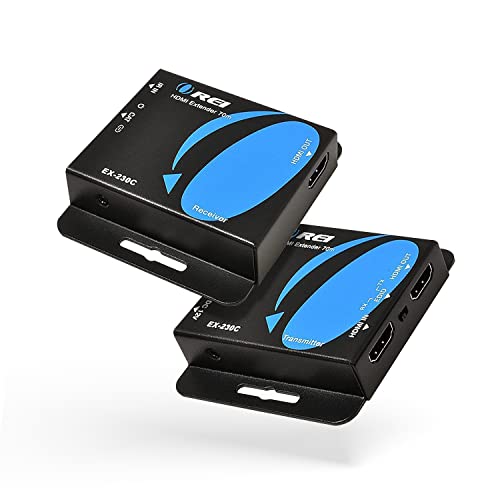
- 4K@30Hz up to 130 feet
- 1080p transmission up to 230 feet
- PoC, EDID copy, and one-way IR
Best For: Single-display home, office, or classroom links
Best Compact Two-Display Pick
OREI 1x2 HDMI Over Ethernet Extender

- Sends one source to two displays
- 4K@30Hz up to 165 feet
- PoC, IR, EDID, and HDMI loop-out
Best For: Two-screen home and small-room installations
Best Long-Range Pick – OREI HDBaseT 400ft 4K Extender
For installations where distance matters, this 4k hdmi extender sends video up to 400 feet over CAT5e/6/7 cable. Its HDBaseT design supports lossless, low-latency transmission, while two-way IR, RS-232, CEC, HDR, and HDMI loop-out add useful control and monitoring flexibility.
Best For: Long-distance home theater, conference room, signage, and professional AV installations.
Pros:
- Supports 4K at 60Hz, HDR formats, Dolby Vision, and 18Gbps bandwidth.
- Reaches up to 400 feet over compatible CAT cable.
- Includes two-way IR, RS-232, HDMI loop-out, and power over cable.
- Supports advanced multichannel audio formats including Dolby TrueHD and DTS-HD.
Cons:
- Requires the included matching transmitter and receiver; it is not interchangeable with other HDBaseT models.
- Needs a direct compatible cable connection rather than a general network setup.
This is the strongest choice here for maximum range and feature-rich control. It is especially suitable when a clean, professionally managed installation is more important than a minimal feature set.
Best Simple Setup – PWAY HT275 4K Cat Extender
This 4k hdmi extender offers a practical way to send video over one Cat6 cable, reaching up to 130 feet at 4K/30Hz or 230 feet at 1080P. It combines IR control, HDMI loop-out, mirror or extended display modes, and POC power for a cleaner installation.
Best For: Home theaters, meetings, live streaming, and straightforward dual-display setups.
Pros:
- Supports 4K at 30Hz plus common lower resolutions.
- Provides up to 130 feet at 4K or 230 feet at 1080P over Cat6.
- Includes IR remote control and HDMI loop-out for local monitoring.
- POC powers the receiver through the Ethernet cable, requiring only one adapter.
Cons:
- 4K transmission is limited to 30Hz.
- The stated maximum distance varies by resolution.
The HT275 emphasizes easy installation and useful everyday features rather than the highest 4K refresh rate. It is a sensible fit for moderate distances where 4K/30Hz is sufficient.
Best Midrange 4K Quality – OREI UHD-EX165H-K 165ft 4K Extender
For a balanced 4k hdmi extender, the OREI UHD-EX165H-K sends uncompressed 4K/60Hz video and audio up to 165 feet through one CAT6/7 cable. It also provides HDR, 18Gbps bandwidth, EDID management, HDMI loop-out, and one-way IR control.
Best For: Home theaters, gaming rooms, conference rooms, digital signage, and security displays.
Pros:
- Supports uncompressed 4K/60Hz 4:4:4 video with up to 12-bit color.
- Offers HDR, HDCP 2.2, HDMI loop-out, and 18Gbps bandwidth.
- EDID management helps optimize source and display compatibility.
- Supports one-way IR and several high-quality audio formats.
Cons:
- Maximum stated 4K distance is 165 feet, shorter than the longest-range option.
- Requires a direct CAT6 or CAT7 connection and is not compatible with network switches or routers.
This model is a strong middle ground for buyers who want full 4K/60Hz performance without moving to a 400-foot installation. Its EDID and loop-out features are particularly useful in multi-display or rack-based systems.
Best for Remote PC Control – OREI 4K KVM 230ft Extender
This 4k hdmi extender adds USB KVM functionality to a 230-foot HDMI-over-CAT connection, allowing a remote keyboard and mouse to control the source PC. It also supports 4K/60Hz, HDR formats, HDMI loop-out, EDID pass-through, and 3.5mm analog audio output.
Best For: Remote PC operation, presentation systems, gaming setups, and installations needing keyboard and mouse access at the display.
Pros:
- Extends 4K/60Hz video up to 230 feet over Cat6/7 cable.
- USB KVM extension enables remote keyboard and mouse control.
- Supports HDR, HDR10+, Dolby Vision, HLG, and HDCP 2.2.
- Includes HDMI loop-out, EDID pass-through, and 3.5mm audio extraction.
Cons:
- The KVM and extra audio features may be unnecessary for basic display extension.
- Requires high-quality Cat6/7 cabling for the stated long-distance 4K performance.
The EX-230PRO-KVM stands out when an extender must do more than carry video. Its combination of 4K/60Hz transmission and remote USB control makes it particularly useful for concealed PCs, control rooms, and presentation environments.
Reliable 4K Basics – OREI EX-170C 4K HDMI Extender
If you need 4k hdmi extenders for a home theater, classroom, or CCTV setup, the OREI EX-170C sends video and audio over one direct CAT5e/6/7 cable. It supports up to 131 feet at 4K@30Hz or 230 feet at 1080p, with local loop-out monitoring and one-way IR control.
Best For: Buyers who need a dependable 4K@30Hz extender with EDID, loop-out, and PoC for a direct-cable installation.
Pros:
- Extends 4K@30Hz up to 131 feet and 1080p up to 230 feet.
- HDMI loop-out supports local display monitoring.
- One-way IR pass-through and PoC simplify remote control and installation.
- Metal housing and a one-year warranty support long-term use.
Cons:
- Does not support 4K@60Hz.
- Requires a direct CAT5e or CAT6 connection; it is not network-based.
- Not compatible with HDMI ARC.
The EX-170C is a practical choice when 4K@30Hz is sufficient and you want useful installation features without running a long HDMI cable. Check cable quality and device compatibility before installation.
High-Bandwidth Pick – OREI HD-EX196E-K 4K60 HDMI Extender
Among 4k hdmi extenders, the OREI HD-EX196E-K stands out for 4K@60Hz support and an 18Gbps bandwidth rating. It carries HDMI over a single CAT6/6A/7 cable up to 230 feet while supporting HDR10+, Dolby Digital, and PoC.
Best For: Home theaters, conference rooms, monitoring systems, and digital signage that need 4K@60Hz over a long CAT6-class cable run.
Pros:
- Supports 4K@60Hz with YUV 4:4:4, HDMI 2.0a, and HDCP 2.2.
- Extends the signal up to 230 feet over one CAT6/6A/7 cable.
- PoC powers the receiver from the transmitter for a cleaner setup.
- Metal housing helps protect components and dissipate heat.
Cons:
- Designed for indoor use.
- Requires CAT6, CAT6A, or CAT7 cabling for the specified distance.
- The supplied package lists one-way IR support only indirectly through the product description; verify control requirements before buying.
This is the stronger OREI option for modern 4K sources that require 60Hz playback, HDR, and high-bandwidth color. Its 230-foot range is useful, but the cable installation remains a key part of performance.
Most Flexible Setup – J-Tech Digital JTECH-EX230V2 4K Extender
The J-Tech Digital JTECH-EX230V2 is one of the more versatile 4k hdmi extenders for mixed-display systems. It sends 4K@60Hz 4:4:4 video up to 230 feet over CAT5e/6, includes HDMI loop-out, and can downscale the remote output to 1080p when the local 4K display is connected.
Best For: Installations that need 4K at the source, a local monitor, and compatibility with a remote 1080p display.
Pros:
- Supports 4K@60Hz 4:4:4 and HDR without stated quality loss.
- 4K downscaling accommodates a 1080p remote display.
- Local HDMI loop-out enables source monitoring.
- PoC and bi-directional IR reduce wiring and expand control options.
Cons:
- Downscaling requires a 4K display connected to the transmitter’s local HDMI port.
- Uses a 12V power adapter, unlike some lower-voltage extender designs.
- Performance depends on suitable CAT5e/6 cabling and compatible displays.
Choose this model when your system combines displays with different resolutions or needs two-way IR control. The downscaling requirement is important, so plan the local 4K display connection before purchasing.
Best Multi-Display Pick – OREI 1×4 HDMI Extender Splitter
For buyers comparing 4k hdmi extenders for several screens, this OREI model distributes one HDMI source to four displays over Cat6, Cat6a, or Cat7 cable. It supports 4K at 30Hz to shorter distances, includes a local HDMI loop-out, and uses one power adapter through PoC.
Best For: Meeting rooms, exhibitions, bars, and other setups that need one source displayed on four screens.
Pros:
- One transmitter serves four remote HDMI displays simultaneously.
- Supports 4K@30Hz up to 165 feet and 1080p@60Hz.
- Includes IR pass-back, EDID support, and a local HDMI output.
- PoC powers the receivers without separate adapters.
Cons:
- 4K operation is limited to 30Hz and shorter cable distances.
- The product is designed for one-way distribution rather than switching between sources.
This is the strongest choice when display quantity matters most. Its four-output layout and included IR accessories suit commercial or presentation installations, while the plug-and-play design keeps setup straightforward.
Best Long-Range Single-Link Pick – OREI 230ft HDMI Extender
This OREI unit is a practical option among 4k hdmi extenders when you need one source sent to one remote display. Over Cat6 or Cat7 cable, it reaches up to 130 feet at 4K@30Hz and up to 230 feet at 1080p, with PoC and one-way IR included.
Best For: Home cinema, offices, classrooms, and installations connecting a single distant TV or monitor.
Pros:
- Transmits 4K@30Hz up to 130 feet and 1080p up to 230 feet.
- One power adapter supplies both transmitter and receiver through PoC.
- Includes EDID copy, one-way IR, and support for PCM 7.1 and HD audio formats.
- Plug-and-play setup requires no drivers.
Cons:
- 4K distance is shorter than the advertised 230-foot maximum.
- It supports one remote receiver rather than multiple displays.
- HDCP support is specified as version 1.4.
Choose this model when reach and simple one-display extension are more important than multi-screen distribution. For the most reliable signal, the supplied guidance recommends shielded cable.
Best Compact Two-Display Pick – OREI 1×2 HDMI Over Ethernet Extender
For a two-screen installation, this OREI splitter offers a balanced choice among 4k hdmi extenders. It sends one HDMI source to two displays over Cat6 or Cat7, supports 4K@30Hz up to 165 feet, and provides a local HDMI loop-out plus remote IR control.
Best For: Small conference rooms, home entertainment systems, and presentations using two remote displays.
Pros:
- Distributes one source to two remote displays simultaneously.
- Supports 4K@30Hz to 165 feet and 1080p@60Hz to 230 feet.
- PoC eliminates separate receiver power adapters.
- Includes EDID management, IR control, and a local HDMI output.
Cons:
- 4K output is limited to 30Hz.
- It is limited to two remote displays.
- The listed maximum resolution is 1920×1080@60Hz for Full HD operation.
This model fits buyers who need more than a point-to-point extender but do not require four outputs. Its dual-voltage adapter, IR kit, and plug-and-play installation add flexibility for domestic and international setups.
How We Picked the Best 4K Hdmi Extenders
We compared these 4K Hdmi Extenders by looking at the specifications that have the greatest effect on real-world installation: supported resolution and refresh rate, maximum transmission distance, cable compatibility, signal-management features, and system flexibility. We also considered whether each model includes power over cable (PoC), IR control, HDMI loop-out, EDID management, HDR support, HDCP compatibility, or splitting and KVM functions.
Distance claims are typically based on ideal cable conditions. Actual performance can vary with cable quality, connectors, electrical interference, wall infrastructure, and the source and display combination. Treat the listed range as a planning maximum rather than a guarantee.
Quick Comparison
- Best for high-bandwidth 4K: Choose a model rated for 4K at 60Hz and, ideally, 18Gbps bandwidth when smooth motion and HDR matter.
- Best for longer runs: HDBaseT models can be a strong choice for extended installations, especially when reliability and professional-style control are priorities.
- Best for multiple displays: HDMI splitter-extender models simplify sending one source to two or four screens.
- Best for remote control: Look for one-way or bi-directional IR support if the source device must be controlled from the viewing location.
- Best for flexible integration: Loop-out, EDID, HDR, and PoC can reduce extra hardware and make troubleshooting easier.
Key Buying Factors for 4K Hdmi Extenders
Resolution, Refresh Rate, and Bandwidth
Verify whether the extender supports 4K at 30Hz or 60Hz. A 30Hz limit may be sufficient for signage, presentations, and many video sources, but 4K at 60Hz is preferable for gaming, desktop use, sports, and smooth menus. HDR support is also important if your source and display use high-dynamic-range content.
Transmission Distance and Cable Type
Check the rated distance at your intended resolution, not just the maximum distance at 1080p. Cat6 or Cat7 cable may offer useful headroom for longer or more demanding runs, while Cat5e can work for compatible shorter installations. Use solid, properly terminated cable and avoid unnecessary couplers.
Control and Installation Features
IR pass-through allows remote-control commands to travel between rooms. HDMI loop-out lets you keep a local display connected, while EDID management helps the source and display agree on a usable format. PoC can reduce power-cable clutter, but confirm which receiver or transmitter requires the power adapter.
Compatibility
Check HDCP support, audio requirements, HDMI version expectations, and compatibility with AV receivers, game consoles, streaming devices, and displays. If you need keyboard and mouse access at the remote end, select a KVM-capable model rather than a standard video extender.
Who Should Buy Which 4K Hdmi Extenders?
Home theater owners should prioritize 4K at 60Hz, HDR, dependable distance performance, and IR control. Offices and classrooms may benefit more from PoC, EDID, loop-out, and straightforward 1080p fallback. Digital-signage and multi-screen installations should consider splitter models with the required number of outputs. For a long, professionally installed cable path, an HDBaseT option is worth considering. Buyers connecting computers or managing equipment remotely should look for KVM or bi-directional control features.