
The right HDMI extender can solve short-cable problems, simplify a home theater installation, or carry video and control signals across a room. The best choice depends on the distance, resolution, refresh rate, and equipment you need to connect.
This roundup covers simple male-to-female extension cables, compact couplers, and powered HDMI-over-Cat5 or Cat6 systems for longer runs. Use the guide below to match the extender type to your setup without paying for features you do not need.
Best 10 Hdmi Extenders Picks for 2026
Best 8K Cable Upgrade
Highwings 10K/8K HDMI 2.1 Extender
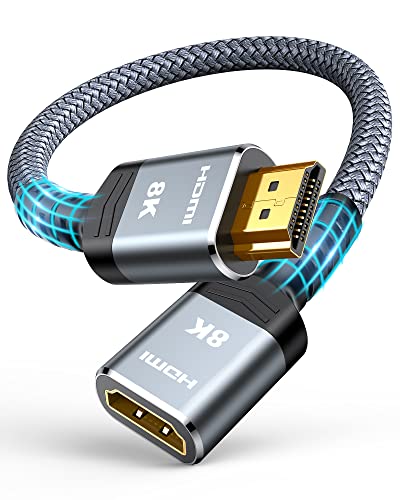
- 48Gbps HDMI 2.1 bandwidth
- Supports 8K@60Hz and 4K@120Hz
- Flexible 1-foot male-to-female design
Best For: Gaming and home-theater setups needing a short, high-bandwidth extension
Best Multi-Display Kit
OREI 1x4 HDMI Splitter Extender
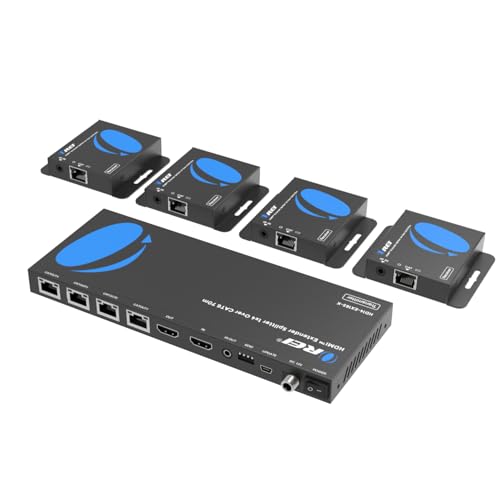
- Sends one source to four displays
- Up to 4K@30Hz over Cat6
- PoC, loop-out, and IR control included
Best For: Meeting rooms, bars, exhibits, and multi-screen installations
Best Two-Pack Value
Cable Matters 4K HDMI Extension Cables

- Two 6-foot male-to-female cables
- Supports 4K and 18Gbps bandwidth
- ARC, HEC, 3D, and HD audio support
Best For: Everyday home, office, and conference-room HDMI extensions
Best Long-Run 4K Option

- Up to 230 feet at 1080p
- Up to 131 feet at 4K@30Hz
- IR, loop-out, EDID, and PoC included
Best For: Long-distance home, classroom, conference-room, and signage installations
Best Cable Coupler
8K HDMI 2.1 Extension Adapter 4-Pack
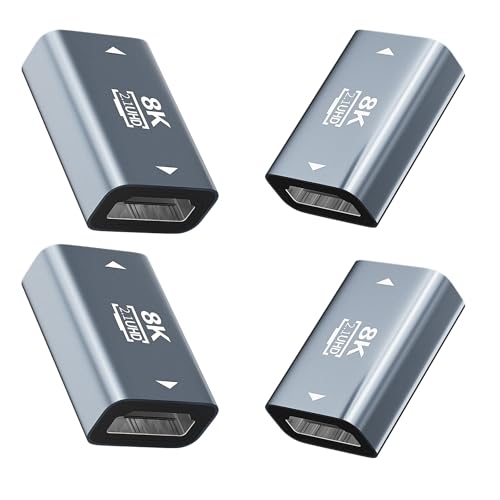
- Supports up to 8K@60Hz and 4K@120Hz
- Plug-and-play, with no power required
- Shielded aluminum body in a convenient four-pack
Best For: Simple HDMI cable extensions and spare couplers
Best Long-Range Extender
OREI 4K HDMI Over CAT5/6 Extender

- Reaches up to 230 ft at 1080p
- Supports 4K@30Hz over long cable runs
- Adds IR, loop-out, EDID, and PoC features
Best For: Home theaters, classrooms, CCTV, and commercial AV
Best Flexible Extension Cable
Highwings 8K HDMI 2.1 Male-to-Female

- Supports listed 48Gbps and 8K@60Hz performance
- Adds 3.3 feet to an existing HDMI connection
- Nylon design rated for up to 25,000 flex times
Best For: Gaming, home theaters, and nearby port-saving extensions
Best Long-Reach Option
Silkland 8K HDMI Extension Cable 10FT
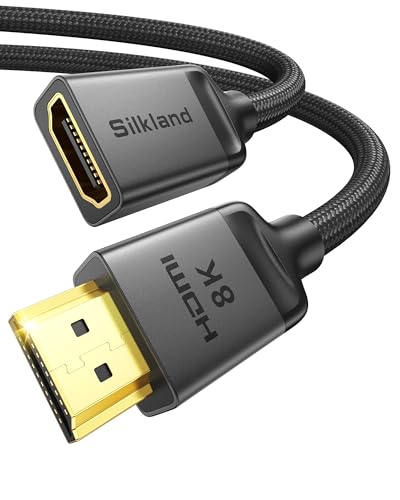
- 10-foot HDMI 2.1 extension
- 8K 60Hz and 4K 120Hz support
- Braided, shielded construction
Best For: Large home theater and wall-mounted TV setups
Best Compact Pick

- Compact port-extending design
- 4K 60Hz with 18Gbps bandwidth
- Supports HDR, ARC, and Dolby Atmos
Best For: Tight TV cabinets and everyday 4K setups
Best Short HDMI 2.1 Cable
Silkland 8K HDMI Extension Cable 3.3FT
- Compact 3.3-foot extension
- 8K 60Hz and 4K 120Hz support
- 48Gbps HDMI 2.1 bandwidth
Best For: Compact gaming and streaming setups
Best 8K Cable Upgrade – Highwings 10K/8K HDMI 2.1 Extender
If you need a short, flexible way to extend an HDMI connection, this Highwings cable is a strong option among HDMI extenders. Its male-to-female design supports high-bandwidth video, including 8K at 60Hz and 4K at 120Hz, while the plug-and-play setup makes it useful for gaming consoles, streaming devices, and home theaters.
Best For: Gamers and home-theater users who need a compact HDMI 2.1 extension cable.
Pros:
- Supports up to 48Gbps bandwidth, 8K@60Hz, and 4K@120Hz.
- Includes ARC, HDMI Ethernet Channel, HDR color depth, and 3D support.
- Flexible nylon construction and gold-plated connectors are designed for durability.
- Compact 1-foot length can help relieve port strain and improve connection flexibility.
Cons:
- The 1-foot length may not provide enough reach for every setup.
- It extends an existing HDMI cable rather than replacing a long-distance extender system.
For short connections where bandwidth and durability matter, the Highwings cable offers a convenient HDMI 2.1 upgrade. Its compact size is best suited to solving reach or port-access issues rather than spanning rooms.
Best Multi-Display Kit – OREI 1×4 HDMI Splitter Extender
This OREI unit is more than a basic cable: it distributes one HDMI source to four displays over Cat6, making it one of the more practical HDMI extenders for shared video installations. Power over cable simplifies receiver placement, while the local HDMI output and IR pass-through add flexibility for meeting rooms, bars, exhibits, and similar spaces.
Best For: Multi-screen installations that need one HDMI source distributed to four remote displays.
Pros:
- Distributes one source to four displays over Cat6/6a/7 cable.
- Supports up to 4K@30Hz at distances of up to 165 feet according to the product notes.
- Power over cable allows the receivers to operate from one power adapter.
- Includes local loop-out and one-way IR control for remote source operation.
Cons:
- The listed highest resolution is 4K@30Hz, not 4K@60Hz.
- Requires multiple receivers and Cat6 cabling, making it more involved than a simple extension cable.
Choose this OREI system when the goal is simultaneous distribution rather than merely adding length to one HDMI connection. Its four-output design and simplified receiver power are especially useful for commercial or presentation environments.
Best Two-Pack Value – Cable Matters 4K HDMI Extension Cables
For straightforward home or office setups, this two-pack provides two 6-foot male-to-female cables for extending HDMI connections. These HDMI extenders support up to 4Kx2K resolution and 18Gbps bandwidth, with compatibility for devices such as TVs, projectors, computers, Blu-ray players, Roku players, game consoles, and AV receivers.
Best For: Homes, offices, and conference rooms that need spare or replacement 4K HDMI extension cables.
Pros:
- Two 6-foot cables provide useful reach and a convenient spare.
- Supports up to 4Kx2K resolution and 18Gbps HDMI 2.0 bandwidth.
- Includes ARC, HDMI Ethernet Channel, 3D video, HDCP, and multichannel audio support.
- Gold-plated connectors, copper conductors, and shielding help support stable transmission.
Cons:
- Does not offer the higher bandwidth and refresh-rate support of HDMI 2.1 cables.
- A 6-foot extension may be excessive for compact setups and can add cable clutter.
This Cable Matters two-pack is a practical choice when you want dependable 4K extension length and a backup cable at the same time. It is best for everyday HDMI connections rather than advanced 8K or 4K high-refresh gaming.
Best Long-Run 4K Option – OREI HDMI Extender Over Cat6
This OREI kit is designed for longer HDMI runs, sending uncompressed video and audio over a single direct Cat5e or Cat6 cable. It reaches up to 230 feet at 1080p or 131 feet at 4K@30Hz, and adds loop-out, one-way IR, EDID management, and power over cable for home theaters, classrooms, conference rooms, and digital signage.
Best For: Long-distance HDMI transmission between a source and a remote display using Cat5e or Cat6.
Pros:
- Extends 1080p signals up to 230 feet or 4K@30Hz up to 131 feet.
- Uses one direct Cat5e/Cat6 cable for the remote connection.
- Provides IR pass-through, HDMI loop-out, EDID copy, and PoC.
- Supports up to 7.1-channel HD audio, including Dolby TrueHD and DTS-HD.
Cons:
- 4K support is limited to 30Hz.
- The notes recommend avoiding network switches or routers and using a direct cable connection.
- It uses HDMI 1.4 and HDCP 1.4 rather than newer HDMI standards.
For installations where a regular HDMI cable cannot cover the distance, this OREI extender offers useful reach and control features. Its limitations are mainly relevant to users who need 4K at 60Hz or newer HDMI 2.1 capabilities.
Best Cable Coupler – 8K HDMI 2.1 Extension Adapter 4-Pack
For simple, short-distance HDMI extenders, this female-to-female coupler connects two existing HDMI cables without requiring power, drivers, or a separate transmitter and receiver. It supports up to 8K at 60Hz and 4K at 120Hz according to the supplied specifications, making it a convenient option for compatible home entertainment, office, and gaming setups.
Best For: Extending HDMI cables in tight spaces or keeping spare couplers in multiple rooms.
Pros:
- Supports listed HDMI 2.1 features including 8K@60Hz, 4K@120Hz, HDR, ARC, and VRR.
- Plug-and-play design requires no power adapter or drivers.
- Shielded aluminum housing and gold-plated contacts are designed for durability and stable transmission.
- Four-pack format is practical for home, office, and meeting-room use.
Cons:
- It is a passive coupler, not a powered long-distance HDMI extender.
- Performance depends on the connected HDMI cables and devices.
This is the simplest choice when you already have HDMI cables and only need a compact female-to-female connection. Its multi-pack value is useful for keeping replacements available, while the stated HDMI 2.1 support suits newer displays and sources.
Best Long-Range Extender – OREI 4K HDMI Over CAT5/6 Extender
Among HDMI extenders, the OREI EX-170C is designed for sending uncompressed video and audio over a single direct CAT5e, CAT6, or CAT7 cable. It reaches up to 230 feet at 1080p or 131 feet at 4K@30Hz, while adding IR control, HDMI loop-out, EDID copy, and one-adapter PoC for cleaner installations.
Best For: Home theaters, conference rooms, classrooms, CCTV installations, and digital signage requiring extended HDMI runs.
Pros:
- Supports transmission up to 230 feet at 1080p or 131 feet at 4K@30Hz.
- HDMI loop-out allows local monitoring while sending content to a remote display.
- One-way IR pass-through supports remote control from the receiver location.
- EDID copy and one-way PoC can help with display compatibility and installation simplicity.
Cons:
- It supports 4K only at 30Hz, not 4K@60Hz.
- It is not compatible with HDMI ARC.
- It requires a direct CAT5e/6/7 connection and should not be used through network switches or routers.
The EX-170C is better suited to structured, long-distance installations than to casual cable extension. Buyers should verify their resolution, ARC, cabling, and remote-control requirements before choosing it.
Best Flexible Extension Cable – Highwings 8K HDMI 2.1 Male-to-Female
This 3.3-foot Highwings cable is a straightforward option among HDMI extenders when you need extra reach from an existing HDMI connection. Its HDMI 2.1 design is listed with 48Gbps bandwidth, 8K@60Hz, 4K@120Hz, 4K@240Hz, HDR, ARC, and 3D support, making it suitable for compatible gaming and home-theater equipment.
Best For: Extending a nearby HDMI connection, relieving port strain, or improving cable flexibility around TVs, consoles, laptops, and streaming devices.
Pros:
- Supports listed high-bandwidth formats including 8K@60Hz, 4K@120Hz, and 48Gbps.
- Male-to-female design extends an existing HDMI cable with plug-and-play setup.
- Nylon construction, gold-plated connectors, and a stated 25,000-flex design support everyday durability.
- Supports ARC, HDR, 3D, and HDMI Ethernet Channel according to the supplied notes.
Cons:
- The 3.3-foot length may not be enough for larger spacing needs.
- It is a passive cable extension, so results depend on the source, display, and connected cable combination.
Choose this Highwings model when you want a compact, flexible extension rather than a powered solution for long cable runs. Its feature set is particularly appealing for compatible high-refresh gaming and home-theater connections.
Best Long-Reach Option – Silkland 8K HDMI Extension Cable 10FT
For setups where a short lead will not reach, this 10-foot Silkland HDMI extender adds useful distance while supporting demanding home theater and gaming equipment. Its HDMI 2.1 design supports up to 8K at 60Hz, 4K at 120Hz, HDR, 3D, and eARC.
Best For: Extending HDMI connections behind wall-mounted TVs, in home theaters, or across larger entertainment setups.
Pros:
- Long 10-foot male-to-female design helps solve cable-distance problems.
- Supports 48Gbps bandwidth, 8K 60Hz, and 4K 120Hz/144Hz for gaming and high-resolution work.
- Nylon braiding, triple shielding, a 28AWG copper core, and gold-plated connectors support durability and signal stability.
Cons:
- The 10-foot length may be excessive for compact setups.
- As an extension cable, it still requires an existing HDMI cable or device connection.
This is a strong choice among HDMI extenders when you need maximum reach and modern HDMI 2.1 capabilities. Its 2-year replacement coverage adds reassurance for a longer-term installation.
Best Compact Pick – VCE 4K HDMI Extension Cable
This compact VCE HDMI extender is designed for tight spaces where reaching an HDMI port can be difficult. It supports 4K at 60Hz, HDR, 3D, Dolby Atmos, and ARC, making it a practical choice for everyday TV, streaming, and gaming connections.
Best For: Extending HDMI ports behind wall-mounted TVs or inside crowded media cabinets.
Pros:
- Short male-to-female format helps reduce strain on hard-to-reach device ports.
- 18Gbps bandwidth supports 4K 60Hz, HDR, 3D, ARC, and Dolby Atmos.
- Compatible with consoles, streaming devices, laptops, projectors, Blu-ray players, and standard HDMI equipment.
Cons:
- Its HDMI 2.0 specification does not target 8K or 4K 120Hz performance.
- The short extension length may not suit setups requiring substantial extra reach.
For straightforward HDMI port access and 4K entertainment, this VCE model keeps the installation simple. The included dust cap and 18-month product care period are useful extras.
Best Short HDMI 2.1 Cable – Silkland 8K HDMI Extension Cable 3.3FT
When you need only a little extra reach, this 3.3-foot Silkland HDMI extender adds flexibility without the bulk of a long cable. It supports 8K 60Hz, 4K 120Hz, dynamic HDR, 3D, eARC, and 48Gbps bandwidth for compatible gaming and home theater equipment.
Best For: Short extensions for streaming sticks, consoles, wall-mounted TVs, and compact HDMI 2.1 setups.
Pros:
- 3.3-foot length is suited to compact installations and tight spaces.
- HDMI 2.1 support includes 8K 60Hz, 4K 120Hz/144Hz, dynamic HDR, 3D, and eARC.
- Braided construction, triple shielding, a 28AWG copper core, and gold-plated connectors help support stable transmission.
Cons:
- It is intended to extend only one end of a standard HDMI cable.
- The notes caution that thinner standard cables may cause black screens or compatibility issues.
- At 3.3 feet, it may be too short for larger entertainment centers.
This model offers a useful balance for buyers who want the capabilities of HDMI 2.1 extenders but need only a short reach. Be sure to follow the connection guidance and choose a suitable standard HDMI cable.
How We Picked These Hdmi Extenders
We selected these Hdmi Extenders based on connection type, supported resolution and refresh rate, stated bandwidth, installation flexibility, and practical features such as IR control, EDID management, loop-out ports, and power over cable. The list includes short passive extensions for everyday setups as well as active distribution and long-distance solutions for home theaters, conference rooms, and digital signage.
Specifications such as 8K at 60Hz or 4K at 120Hz describe the claimed capability of the product. Real-world performance can also depend on the source, display, cable quality, HDCP version, and total cable length.
Quick Comparison
| Extender type | Best for | Typical distance or use | Important consideration |
|---|---|---|---|
| Short HDMI extension cable | Adding a few feet | Up to about 10 feet | Simple setup; no separate power |
| HDMI coupler | Joining two HDMI cables | Flexible, cable-dependent | May reduce reliability on long or high-bandwidth runs |
| HDMI-over-Cat5/Cat6 extender | Long room-to-room runs | About 165 feet or more, depending on model | Requires transmitter, receiver, and compatible network-style cable |
| Splitter extender | Sending one source to multiple displays | Multi-display installations | Check output limits, EDID behavior, and HDCP support |
Key Buying Factors for Hdmi Extenders
Resolution, Refresh Rate, and Bandwidth
Match the extender to the signal you actually use. Gaming at 4K and 120Hz needs more bandwidth than standard 4K video at 30Hz. HDMI 2.1 models advertising 48Gbps, 8K at 60Hz, or 4K at 120Hz are the better fit for current consoles, gaming PCs, and premium displays. For streaming video or office presentations, a 4K at 30Hz extender may be sufficient.
Distance and Extender Design
For a short gap behind a television or receiver, choose a passive male-to-female cable or coupler. Longer runs are more dependable with an active extender over Cat5e or Cat6, particularly when the cable must pass through walls or across a large room. Follow the manufacturer’s distance limits and avoid treating ordinary Ethernet networking performance as a guarantee of HDMI performance.
Compatibility and Installation Features
Check HDMI and HDCP versions, HDR support, connector direction, and whether the system needs external power. IR passthrough matters when the source is controlled from the display location. EDID and loop-out features can help manage displays with different capabilities, while PoC can reduce the number of power adapters.
Who Should Buy Which Hdmi Extenders?
- For a small cable-length problem: Choose a short Highwings, Silkland, Cable Matters, or VCE extension cable.
- For joining existing cables: Use an 8K HDMI coupler when you need a compact female-to-female connection and the total run remains reasonable.
- For long-distance connections: Choose an OREI HDMI-over-Cat5 or Cat6 kit, verifying the required resolution and cable distance first.
- For multiple displays: Select the OREI splitter extender if you need one HDMI source distributed to four outputs.
- For modern gaming and 8K equipment: Prioritize HDMI 2.1 support, sufficient bandwidth, and the required refresh rate rather than choosing by resolution alone.