
When you’re tackling video editing projects, the right storage solution can make all the difference. USB-C RAID drives offer the speed and reliability vital for handling high-resolution files efficiently. With so many options available, it can be tough to decide which one suits your needs best. Let’s explore the top contenders that can elevate your editing experience and guarantee your data is secure.
SanDisk Professional 24TB G-RAID Shuttle 4 External Hard Drive
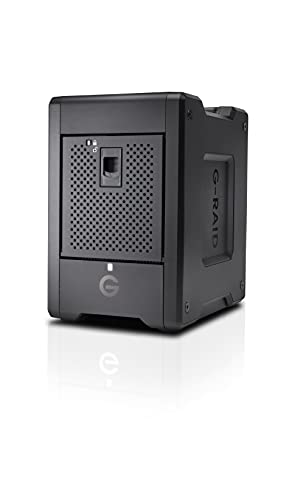
If you’re a video editor in need of a robust storage solution, the SanDisk Professional 24TB G-RAID Shuttle 4 External Hard Drive is an excellent choice. With a whopping 24TB capacity, it’s perfect for storing large video files. This enterprise-class, 4-bay hard drive features Thunderbolt 3 and USB-C interfaces, ensuring speedy data transfer. Its 7200 RPM rotational speed and RAID 5 support maximize performance and data protection. Plus, its transportable design makes it ideal for on-location shoots or studio setups. With a 5-year limited warranty, you can trust its durability for all your video editing needs.
Best For: Video editors and content creators needing a high-capacity, reliable external storage solution for large files.
Pros:
- High Capacity: Offers up to 24TB of storage, ideal for extensive video projects.
- Fast Data Transfer: Equipped with Thunderbolt 3 and USB-C interfaces for speedy connectivity.
- Durable Design: Built for transportability and on-location use, backed by a 5-year limited warranty.
Cons:
- Weight: At 20 pounds, it may be less portable for some users compared to lighter alternatives.
- Compatibility Limitations: Requires reformatting for Windows use, which may be inconvenient for some users.
- Average Customer Ratings: Holds a 3.5 out of 5 stars rating, indicating mixed reviews from users.
LaCie Rugged Raid Shuttle 8TB External Hard Drive
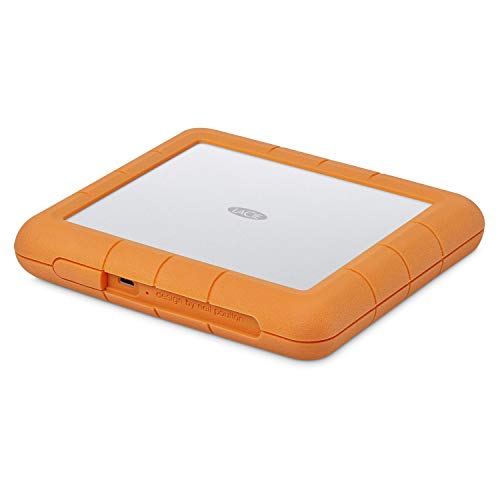
The LaCie Rugged Raid Shuttle 8TB External Hard Drive is an excellent choice for video editors who need reliable storage that can withstand the rigors of on-the-go work. Its flat design makes it easy to pack and transport, while its rugged construction offers drop, shock, dust, and water resistance. You can quickly configure RAID 0/1 using a simple wizard, optimizing for performance or redundancy as needed. Plus, the self-encrypting password system keeps your projects secure from unauthorized access. And don’t forget, it includes a one-month complimentary membership to Adobe Creative Cloud for all your editing needs.
Best For: The LaCie Rugged Raid Shuttle 8TB External Hard Drive is best for video editors and content creators who require durable and portable storage solutions for their work.
Pros:
- Rugged construction ensures protection against drops, shocks, dust, and water.
- Flexible RAID configuration options allow users to optimize for performance or redundancy.
- Includes a complimentary Adobe Creative Cloud membership, enhancing editing capabilities.
Cons:
- Higher price point compared to non-RAID external drives.
- Weight may be an issue for some users seeking lightweight storage options.
- Limited compatibility with older USB standards without an adapter.
SanDisk 4TB Extreme PRO Portable SSD

For video editors seeking a reliable and high-performance storage solution, the SanDisk 4TB Extreme PRO Portable SSD stands out with its impressive read and write speeds of up to 2000MB/s. This NVMe solid-state drive guarantees efficient data storage and transfer, making your editing workflow seamless. Its forged aluminum chassis acts as a heatsink, while the IP65 water and dust resistance, plus up to 3-meter drop protection, assure durability on the go. With a handy carabiner loop and the SanDisk Memory Zone app for file management, you’ll enjoy convenience alongside performance. Plus, it comes with a 5-year limited warranty for added peace of mind.
Best For: Video editors and creative professionals who need a high-performance, portable storage solution for large files and efficient data transfer.
Pros:
- Up to 2000MB/s read/write speeds for fast data storage and transfer.
- Durable design with IP65 water and dust resistance, plus 3-meter drop protection.
- Convenient features like a carabiner loop for easy transport and the SanDisk Memory Zone app for file management.
Cons:
- Higher price point compared to traditional external hard drives.
- Limited compatibility with some older devices that may not support NVMe speeds.
- Size and weight may be less portable compared to smaller USB flash drives.
TERRAMASTER D2-320 USB RAID Enclosure

Designed for video editors who demand speed and reliability, the TERRAMASTER D2-320 USB RAID Enclosure stands out with its impressive data transfer rate of up to 10Gbps. With support for RAID 0, RAID 1, Single, and JBOD configurations, you can easily tailor storage to your needs. Experience lightning-fast read/write speeds of up to 521MB/s with HDDs and 1075MB/s with SSDs. The tool-free design makes drive installation a breeze, while the intelligent cooling system guarantees peak performance. Weighing just 2.86 pounds and accommodating up to 44TB, this enclosure is a perfect companion for your video editing projects.
Best For: Video editors and professionals who require high-speed data transfer and reliable storage solutions.
Pros:
- High data transfer rate of up to 10Gbps for efficient workflow.
- Supports multiple RAID configurations, providing flexibility for different storage needs.
- Tool-free design allows for easy drive installation and swapping.
Cons:
- Plastic construction may not be as durable as metal alternatives.
- Limited to two bays, which may not meet the needs of users requiring more storage options.
- No built-in backup software included, necessitating third-party solutions for data management.
SanDisk Professional G-RAID Shuttle 8-Bay Thunderbolt 3 RAID Array
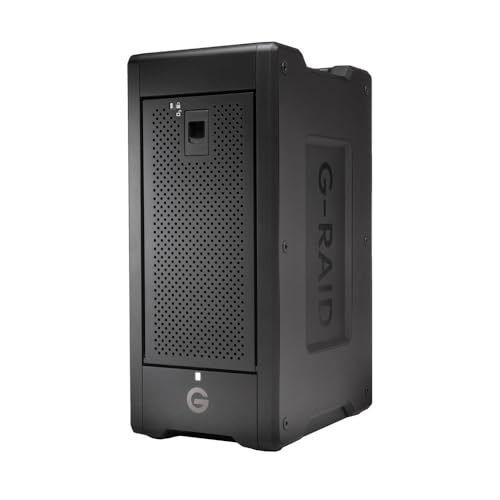
With a capacity of up to 160TB, the SanDisk Professional G-RAID Shuttle 8-Bay Thunderbolt 3 RAID Array is a powerhouse for video editors who need extensive storage for high-resolution projects. You’ll benefit from lightning-fast read speeds of up to 1900MB/s and write speeds of 2000MB/s, making it perfect for 4K and 8K editing. The dual Thunderbolt 3 ports allow you to daisy-chain multiple devices, while the pre-configured RAID 5 offers balanced performance. Plus, the removable enterprise-class Ultrastar drives guarantee reliability for your mission-critical footage. With a 5-year warranty, you can count on its durability for years to come.
Best For: Video editors and content creators who require high-capacity, high-speed storage solutions for 4K and 8K projects.
Pros:
- High Performance: Exceptional read speeds of up to 1900MB/s and write speeds of 2000MB/s facilitate smooth editing workflows.
- Flexible RAID Options: Pre-configured RAID 5 can be customized to various configurations like RAID 0, 1, 6, and more for tailored performance.
- Daisy-Chaining Capability: Dual Thunderbolt 3 ports allow easy connection of multiple devices, enhancing workflow efficiency.
Cons:
- High Cost: The advanced features and high capacity may come at a premium price point.
- Weight and Portability: While designed to be transportable, the 8-bay configuration may be cumbersome for frequent travel.
- Limited USB-C Speed: The USB-C interface supports only up to 10Gbps, which may not leverage the full potential of the drives compared to Thunderbolt 3.
SanDisk 2TB Extreme Portable SSD

The SanDisk 2TB Extreme Portable SSD stands out for video editors who need speed and reliability on the go. With NVMe performance, it boasts read speeds up to 1050MB/s and write speeds reaching 1000MB/s, making file transfers a breeze. Its rugged design offers drop protection from up to 3 meters and IP65-rated water and dust resistance, ensuring durability in various conditions. Plus, the 256-bit AES hardware encryption keeps your files secure. For added convenience, a carabiner loop allows easy attachment to your gear, and the SanDisk Memory Zone app helps manage your files efficiently. It’s a perfect companion for your editing needs.
Best For: Video editors and creative professionals who require high-speed data transfer and reliable storage on the go.
Pros:
- High-speed performance with read speeds up to 1050MB/s and write speeds up to 1000MB/s.
- Rugged durability with drop protection up to 3 meters and IP65 water and dust resistance.
- Enhanced security features including 256-bit AES hardware encryption for file protection.
Cons:
- Higher price point compared to traditional external hard drives.
- Limited compatibility with some older devices that do not support NVMe speeds.
- Dependence on software for optimal file management may be a drawback for some users.
SANDISK 256GB Extreme PRO Dual Drive

For video editors on the go, the SANDISK 256GB Extreme PRO Dual Drive stands out with its remarkable read speeds of up to 1,000MB/s and write speeds reaching 900MB/s. This compact and lightweight drive, measuring just 3.54D x 0.8W x 0.51H inches and weighing only 0.8 ounces, fits perfectly in your pocket. Its premium metal design guarantees durability, while USB Type-C and USB Type-A connectivity enhances versatility. With data encryption technology, you can trust that your files are secure. Rated 4.6 out of 5 stars, this drive is a reliable companion for all your video editing needs.
Best For: Video editors and on-the-go professionals seeking a high-performance and portable storage solution.
Pros:
- High read speeds of up to 1,000MB/s and write speeds of 900MB/s for efficient data transfer.
- Compact and lightweight design ensures portability without sacrificing durability.
- Equipped with data encryption technology for enhanced file security during transfers.
Cons:
- Limited capacity of 256GB may not be sufficient for extensive video projects.
- Premium metal design may be prone to scratches if not handled carefully.
- Higher price point compared to standard USB drives with lower performance specifications.
SanDisk Professional 44TB G-RAID Mirror Drive with Thunderbolt 3 Interface

Designed specifically for video editors and content creators, the SanDisk Professional 44TB G-RAID Mirror Drive stands out with its impressive 7200RPM Ultrastar enterprise-class hard drives, delivering both high performance and reliability. With a Thunderbolt 3 interface, you’ll enjoy lightning-fast data transfers and the ability to daisy-chain up to five additional devices. The included Pro-Blade SSD Mag 1TB enhances your workflow, allowing for quick content offloading and editing. Plus, the hardware switch makes it easy to toggle between RAID modes—RAID 1, RAID 0, or JBOD—ensuring you can adapt your setup to meet any project’s demands.
Best For: Professional video editors and content creators seeking high-performance storage solutions for mission-critical tasks.
Pros:
- High capacity of 44TB, accommodating extensive video projects and large file storage.
- 7200RPM Ultrastar enterprise-class hard drives provide enhanced performance and reliability.
- Thunderbolt 3 interface allows for rapid data transfers and the ability to connect multiple devices.
Cons:
- Higher price point may not be suitable for casual users or hobbyists.
- Weight and size could be cumbersome for mobile use or transport.
- Limited compatibility with older devices that do not support Thunderbolt 3.
OWC Mercury Elite Pro Quad RAID Ready (JBOD) 4-Bay Storage Enclosure
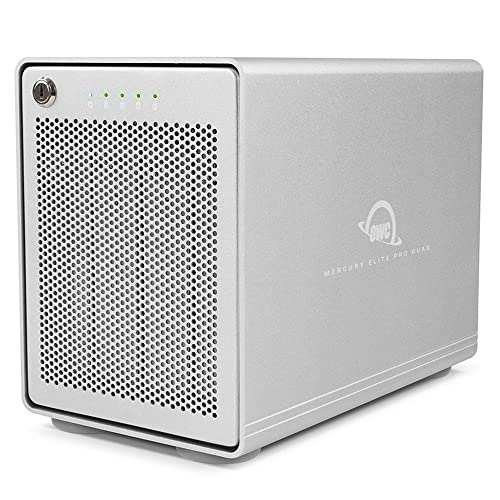
Offering impressive performance up to 947MB/s, the OWC Mercury Elite Pro Quad RAID Ready (JBOD) 4-Bay Storage Enclosure is an ideal choice for video editors who need reliable and fast data storage. Its USB-C interface with USB 3.2 bandwidth guarantees compatibility with any USB-C or Thunderbolt 3-equipped Mac or Windows PC. With four universal drive bays that accommodate 2.5 and 3.5-inch drives, you can customize your storage setup to fit your needs. While SoftRAID isn’t included, you can connect easily using the included USB-C cable. Plus, it comes with a 1-Year OWC Limited Warranty for added peace of mind.
Best For: Video editors seeking reliable and fast data storage solutions for their projects.
Pros:
- Delivers impressive performance up to 947MB/s for efficient data transfer.
- Compatible with both Mac and Windows PCs through USB-C and Thunderbolt 3 interfaces.
- Four universal drive bays allow for customizable storage options with 2.5 and 3.5-inch drives.
Cons:
- SoftRAID software is not included, requiring separate purchase for RAID configuration.
- Limited to a 1-Year warranty, which may not be sufficient for all users.
- Performance may vary depending on the types of drives installed and their configurations.
Glyph Blackbox PRO RAID Thunderbolt 3 Desktop 16 TB

The Glyph Blackbox PRO RAID Thunderbolt 3 Desktop 16 TB stands out as an essential tool for video professionals tackling 4K+ projects and high-volume editing. With dual 8TB 7,200 RPM HDDs, it delivers impressive speed and reliability. You’ll appreciate the Thunderbolt 3 and USB-C 3.2 Gen 2 connectivity, ensuring seamless performance on both Mac and Windows systems. Its switchable RAID options let you choose between fast performance with RAID 0 or secure data protection with RAID 1. Plus, the fan-assisted aluminum case keeps the drives cool and quiet during intensive tasks, making it a perfect fit for your creative workflow.
Best For: Video professionals and creatives managing 4K+ projects and high-volume editing who require a reliable, high-capacity storage solution.
Pros:
- Fast performance with dual 8TB 7,200 RPM HDDs, ideal for heavy editing tasks.
- Switchable RAID options allow for flexible data management, choosing between speed and security.
- Fan-assisted aluminum case ensures efficient cooling and quiet operation during intensive use.
Cons:
- Higher price point compared to traditional external drives may not suit all budgets.
- Weight and size may make it less portable for on-the-go creatives.
- Limited to Thunderbolt 3 and USB-C connectivity, which may require adapters for older systems.
Factors to Consider When Choosing a USB C RAID for Video Editing
When choosing a USB-C RAID for video editing, you need to take into account several key factors. Storage capacity, data transfer speed, and RAID configuration options all play vital roles in your workflow. Plus, don’t forget about durability, protection, and compatibility with your devices to guarantee a seamless editing experience.
Storage Capacity Requirements
Choosing the right storage capacity for your USB-C RAID is essential since video files can be massive, often demanding several terabytes of space for projects and backups. High-capacity options, like RAID systems supporting up to 160TB or more, are perfect for handling multi-stream 4K, 8K, and VR editing workflows. Don’t forget to reflect on your current and future storage needs, as projects can grow in size and complexity. Opt for RAID configurations that offer flexibility—RAID 0 for performance or RAID 1 for redundancy—to manage your storage capacity effectively while keeping your data safe. Finally, the choice between mechanical and solid-state drives will affect both capacity and performance, with SSDs providing faster data access but at a higher cost per terabyte.
Data Transfer Speed
To keep your video editing workflow efficient, data transfer speed is a key factor in selecting a USB-C RAID drive. High transfer speeds directly affect how quickly you can copy, access, and save files, which is essential for large video projects. With USB-C interfaces reaching up to 10Gbps and Thunderbolt 3 hitting 40Gbps, you can greatly reduce file transfer times. Look for SSDs with read and write speeds around 2000MB/s to handle high-resolution formats like 4K and 8K seamlessly. Additionally, RAID configurations can enhance speed; for example, RAID 0 improves performance by striping data across multiple drives, while choosing SSDs over traditional HDDs will also boost your transfer rates. Prioritize these factors for a smoother editing experience.
RAID Configuration Options
Selecting the right RAID configuration for your USB-C RAID drive can greatly impact your video editing workflow. If you need speed, RAID 0 is an excellent choice, as it stripes data across multiple drives for enhanced read/write performance. However, if data safety is your priority, consider RAID 1, which mirrors your data and protects against loss. For a balance of both performance and redundancy, RAID 5 or RAID 10 might be ideal, offering efficient access while safeguarding against drive failures. Some systems even let you customize configurations, allowing you to switch between modes based on your current project needs. By aligning your RAID choice with your editing requirements, you can optimize both speed and reliability.
Durability and Protection
When working on video editing projects, durability becomes essential, especially if you’re frequently on the move or shooting in unpredictable environments. You need a RAID drive that can withstand drops, shocks, dust, and moisture. Look for devices with IP ratings like IP65, which assure water and dust resistance, enhancing longevity. A solid design should offer drop protection up to 3 meters, ensuring it survives accidental falls during transport. High-quality materials, such as aluminum chassis paired with silicone shells, provide extra protection and thermal management to prevent overheating during intensive data transfers. Additionally, consider RAID drives with fan-assisted cooling systems to maintain ideal temperatures, preserving your data’s integrity and extending the drive’s lifespan.
Compatibility With Devices
Choosing the right USB-C RAID drive goes beyond just durability; compatibility with your devices plays a significant role in guaranteeing a smooth video editing experience. First, make sure the RAID drive works with both Mac and Windows systems, as some may need reformatting for cross-platform use. Next, check the data transfer speed of the USB-C connection, ranging from 10Gbps (USB 3.2) to 40Gbps (Thunderbolt 3), to match your editing needs. Confirm that the RAID configurations, like RAID 0 or RAID 1, align with your performance and data protection requirements. Additionally, verify the RAID enclosure supports the types and sizes of drives you plan to use, and consider its power delivery capabilities for charging connected devices during data transfers.
Portability and Design
Portability and design are essential factors in picking a USB-C RAID drive for video editing, especially if you often move between locations. You’ll want a transportable design that makes it easy to switch between on-location shoots and your studio. Consider the weight and dimensions; lighter, more compact units fit better in your gear bags. A rugged construction that resists drops, shocks, dust, and water will protect your sensitive data during travel. Look for features that optimize packing, like flat designs, to save space in your equipment bags. Finally, handles or carabiner loops can enhance portability, allowing you to secure the RAID device conveniently while you’re on the go. Choose wisely to make your workflow smoother.
Warranty and Support Options
After considering portability and design, warranty and support options become key factors in your decision-making process for a USB-C RAID drive. You should examine the warranty duration carefully; some drives offer extended warranties up to five years, giving you peace of mind. Look for RAID systems that include responsive customer support, as this can be crucial during critical editing tasks. Pay attention to the type of warranty—whether it’s limited, covering specific parts and labor, or a full warranty that includes accidental damage. Research customer reviews to gauge the reliability of the warranty service, as user experiences can reveal the support’s efficiency. Finally, verify the warranty covers your intended RAID configurations, as some manufacturers impose restrictions based on setup.