
When it comes to video editing, the right workstation can make all the difference in your creative process. You need a machine that can handle demanding tasks without lag, especially when working with high-resolution footage. From powerful CPUs to ample storage options, the best setups are designed to keep up with your vision. Let’s explore the top contenders that can elevate your filmmaking experience and help you choose the perfect fit for your needs.
CPU Solutions Express 4K Video Editing PC (Ryzen 9 9950X, 64GB DDR5 RAM, 2TB NVMe SSD)

If you’re a filmmaker looking for a powerhouse capable of handling 4K video editing with ease, the CPU Solutions Express 4K Video Editing PC is a top choice. Featuring the Ryzen 9 9950X processor, it offers a max boost of 5.7 GHz, ensuring smooth performance with 16 cores and 32 threads. You’ll enjoy rapid multitasking with 64GB of DDR5 RAM, which can be expanded to 192GB. The 2TB NVMe SSD provides quick access to large video files, while the Quadro RTX 2000 graphics card enhances visuals. With efficient cooling and a solid warranty, this PC supports your creative endeavors seamlessly.
Best For: Filmmakers and video editors seeking a high-performance PC for seamless 4K video editing.
Pros:
- Exceptional processing power with the Ryzen 9 9950X, enabling efficient handling of demanding tasks.
- Ample memory of 64GB DDR5 RAM, expandable to 192GB, enhances multitasking capabilities.
- Advanced graphics with the Quadro RTX 2000, offering impressive visuals and support for multiple high-resolution monitors.
Cons:
- The mini tower design may have limited upgrade potential compared to larger systems.
- Higher initial investment compared to entry-level video editing PCs.
- The reliance on a single 650w power supply may limit future hardware upgrades.
CPU Solutions VidCore Editing PC (CEV-8530-Ultra 9 RTX 4000 ADA)

For filmmakers seeking a powerhouse that can handle demanding 4K, 8K, and 3D editing, the CPU Solutions VidCore Editing PC (CEV-8530-Ultra 9 RTX 4000 ADA) stands out with its formidable 15th Gen Intel Core Ultra 9 285K Processor. With 24 cores and Turbo Boost up to 5.7 GHz, it delivers unmatched performance. You’ll appreciate the 64GB RAM and 2TB PCIe NVMe SSD, ensuring instant access to large files. The Ada Lovelace Quadro RTX 4000 graphics support multiple high-resolution displays, while extensive connectivity options enhance your workflow. Plus, the efficient cooling system keeps everything running smoothly.
Best For: Filmmakers and video editors looking for a high-performance workstation capable of handling 4K, 8K, and 3D editing projects efficiently.
Pros:
- Exceptional processing power with a 15th Gen Intel Core Ultra 9 285K Processor and 24 cores for demanding tasks.
- Ample 64GB RAM and 2TB PCIe NVMe SSD for fast access to large files and seamless multitasking.
- Advanced graphics capabilities with Ada Lovelace Quadro RTX 4000, supporting multiple high-resolution displays for an enhanced editing experience.
Cons:
- Higher price point may not be suitable for casual users or hobbyists.
- Requires adequate space and a suitable environment for optimal cooling and ventilation.
- Limited upgrade options for certain components due to the design of the proprietary motherboard.
CPU Solutions 4K/8K Video Editing PC
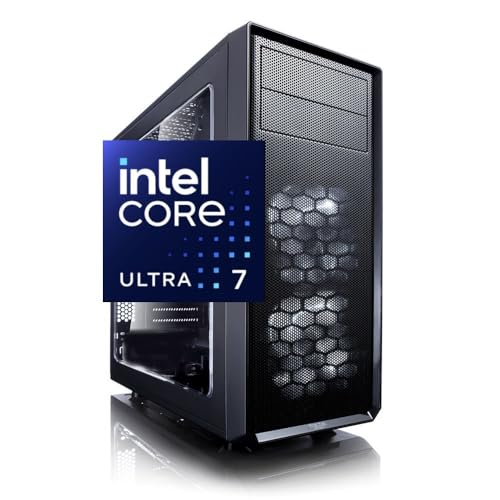
Looking to elevate your video editing game? The CPU Solutions 4K/8K Video Editing PC is your go-to powerhouse. Equipped with a 15th Gen Intel Core Ultra 7 processor boasting 20 cores and 5.3 GHz turbo boost, it handles demanding tasks effortlessly. With 64GB of DDR5 RAM, expandable to 192GB, and a Quadro RTX 2000ADA graphics card, your editing will be smooth and efficient. You can connect up to four monitors and experience stunning visuals at 7680 x 4320 resolution. Plus, the efficient cooling system guarantees your work environment stays ideal, making this workstation perfect for serious filmmakers.
Best For: Professional video editors and content creators who require high performance and reliability for 4K and 8K video editing.
Pros:
- Exceptional processing power with 20 cores and a turbo boost of up to 5.3 GHz for fast rendering.
- Robust graphics capabilities with the Quadro RTX 2000ADA, optimized for professional applications.
- Ample connectivity options, including support for up to four monitors, enhancing multitasking efficiency.
Cons:
- Higher initial investment compared to entry-level editing PCs.
- Limited to a maximum of 192GB RAM, which may not be sufficient for extremely demanding projects.
- Weight of 33 pounds may make it less portable for users needing to move their workstation frequently.
Dell Precision 7920 Tower Workstation (Renewed)

The Dell Precision 7920 Tower Workstation (Renewed) stands out as an exceptional choice for filmmakers who demand high performance in video editing and rendering. With dual Intel Xeon Gold 6130 processors, you’ll enjoy 32 cores of power, perfect for tackling 4K editing and VR projects. Its 192GB DDR4 memory is expandable to a massive 1.5TB, ensuring you can handle even the most demanding workloads. The combined storage of 2TB SSD and 8TB HDD, expandable up to 136TB, provides ample space for your projects. Plus, with its robust Nvidia Quadro P1000 graphics, your visuals will shine brilliantly.
Best For: Filmmakers and professionals requiring high-performance computing for video editing, rendering, and VR projects.
Pros:
- High processing power: Dual Intel Xeon Gold 6130 processors provide up to 32 cores, ideal for multitasking and demanding applications.
- Extensive memory capacity: 192GB DDR4 RAM, upgradable to 1.5TB, ensures smooth performance for heavy workloads.
- Large storage options: Combined 2TB SSD and 8TB HDD with the ability to expand up to 136TB for ample project storage.
Cons:
- Weight: At 50 pounds, the workstation may be cumbersome to move or transport.
- Graphics card limitations: While the Nvidia Quadro P1000 is decent, it may not meet the needs of users requiring cutting-edge graphics performance.
- Renewed product: Being a renewed model, there may be concerns about long-term reliability compared to brand new systems.
Dell Workstation Desktop Computer with Intel i7-9700, 32GB RAM, 1TB SSD, and 4TB HDD

Designed specifically for filmmakers and creative professionals, the Dell Workstation Desktop Computer boasts an Intel i7-9700 processor and 32GB of RAM, making it an excellent choice for demanding video editing tasks. With a 1TB SSD for fast boot times and program loading, plus a generous 4TB HDD for ample storage, you won’t run out of space anytime soon. The Nvidia Quadro P620 graphics card enhances your editing experience, ensuring smooth playback and rendering. Its compatibility with software like Adobe Premiere and AutoCAD means you can tackle various projects seamlessly. This workstation is a reliable powerhouse for your creative endeavors.
Best For: Creative professionals, filmmakers, and designers who require a powerful workstation for demanding tasks such as video editing and 3D design.
Pros:
- Excellent performance with Intel i7-9700 processor and 32GB RAM for handling intensive applications.
- Fast storage solutions with a 1TB SSD for quick access and a 4TB HDD for extensive data storage.
- Compatibility with major creative software like Adobe Premiere, Photoshop, and AutoCAD.
Cons:
- Graphics card (Nvidia Quadro P620) may not be sufficient for high-end gaming or advanced 3D rendering tasks.
- Customer reviews indicate mixed feedback with an average rating of 2.6 out of 5 stars.
- Being a renewed product, it may not have the same warranty or support as a new device.
CPU Solutions Express 4K to 8K Video Editing PC Desktop Workstation
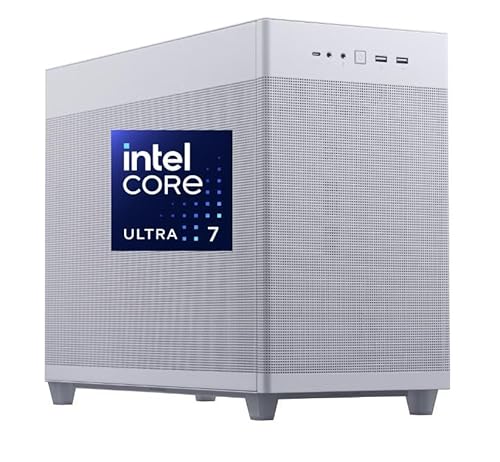
For filmmakers seeking a high-performance solution, the CPU Solutions Express 4K to 8K Video Editing PC Desktop Workstation stands out with its powerful 15th Core Ultra 7 processor, boasting 20 cores and impressive speeds ranging from 3.9 GHz to 5.5 GHz. This workstation features 64GB of expandable RAM and a lightning-fast 2000GB NVMe SSD, ensuring seamless 4K and 3D editing. You’ll appreciate the NVIDIA Quadro RTX 2000 GPU with 16GB ECC memory, offering exceptional rendering capabilities. Plus, connectivity is a breeze with multiple USB ports and support for four displays. It’s an ideal choice for your creative projects.
Best For: Filmmakers and video editors who require high-performance computing for 4K to 8K video editing and 3D rendering.
Pros:
- Exceptional processing power with 20-core 15th Core Ultra 7 CPU for smooth editing.
- High-speed 2000GB NVMe SSD ensures quick file access and storage management.
- Versatile connectivity options, including support for four displays and multiple USB ports.
Cons:
- The high initial cost may be a barrier for hobbyists or casual users.
- Limited to a 1-year warranty, which may not be sufficient for intensive users.
- Cooling system, while effective, may require regular maintenance in dust-prone environments.
CPU Solutions Express HD Video Editing PC (CEV-8832)
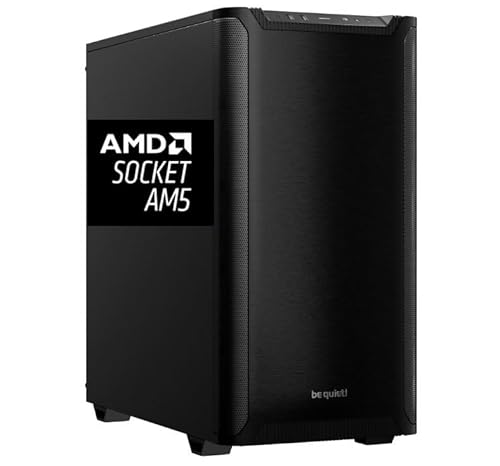
With a powerful Ryzen 9 9950X processor clocking in at 5.7 GHz and a robust Quadro RTX 2000 ADA graphics card, the CPU Solutions Express HD Video Editing PC (CEV-8832) is perfect for filmmakers who demand top-tier performance in their editing workflows. You’ll enjoy lightning-fast rendering with its 64GB of DDR5 RAM and a 2TB NVMe SSD for rapid data access. The workstation’s impressive graphics capabilities support up to four monitors, enhancing your creative experience. Plus, the efficient cooling system guarantees peak performance during intense editing sessions. With a one-year warranty, you can focus on your projects without worry.
Best For: Professional filmmakers and video editors seeking high-performance hardware for demanding editing tasks.
Pros:
- Exceptional processing power with a Ryzen 9 9950X and 64GB of DDR5 RAM for smooth multitasking.
- Robust graphics performance from the Quadro RTX 2000 ADA, supporting multiple high-resolution displays.
- Efficient cooling system ensures optimal performance during intensive editing sessions.
Cons:
- Higher price point compared to entry-level video editing PCs, which may not suit all budgets.
- Limited upgrade options for certain components due to the specific motherboard and chipset.
- Weight of 45 pounds may make it less portable for on-the-go editing needs.
Lenovo ThinkStation P3 Tower Workstation

The Lenovo ThinkStation P3 Tower Workstation stands out as an exceptional choice for filmmakers who demand high performance in video editing. With its Intel Core Ultra 9 285 vPro processor and 128 GB DDR5 memory, you’ll experience lightning-fast processing speeds. The 2 TB SSD provides ample storage for your projects, while the NVIDIA RTX 2000 graphics card enhances visual rendering. Designed for engineers and built for intense workloads, this workstation combines power with a compact design, making it ideal for creative professionals. Plus, with Windows 11 Pro, you’ll have the latest software at your fingertips for seamless editing.
Best For: Creative professionals and filmmakers seeking high performance and efficiency in video editing tasks.
Pros:
- Superior Processing Power: Equipped with an Intel Core Ultra 9 285 vPro processor, ensuring fast and efficient performance.
- Generous Memory and Storage: 128 GB DDR5 RAM and 2 TB SSD provide ample resources for handling large projects and files.
- Enhanced Graphics Performance: The NVIDIA RTX 2000 graphics card delivers exceptional visual rendering capabilities for demanding applications.
Cons:
- High Customer Ratings: Currently has a low customer review rating of 1.0 out of 5 stars from two reviews.
- Weight: At 13.61kg (30.0 lbs), it may be considered heavy and less portable.
- Limited Warranty: The standard warranty is only 1 year, which may not be sufficient for long-term use.
PCSP High-End Precision 7920 Tower Workstation

Engineered for professionals who demand exceptional performance, the PCSP High-End Precision 7920 Tower Workstation stands out as an ideal choice for filmmakers tackling complex video editing tasks. With dual Intel Xeon Platinum 8160 CPUs providing a whopping 48 cores and 96 threads, it excels at multitasking and handling heavy workloads. You can configure it with up to 1.5TB of DDR4 RAM, ensuring seamless operations for your creative workflows. The 1TB NVMe SSD and 4TB HDD combo offers rapid boot times and ample storage. Coupled with NVIDIA Quadro P2000 graphics, it delivers certified performance for all your professional editing needs.
Best For: Professionals in video editing, 3D rendering, CAD design, and AI modeling who require exceptional performance and multitasking capabilities.
Pros:
- High-performance dual CPUs with 48 cores and 96 threads for handling heavy workloads efficiently.
- Large memory capacity options up to 1.5TB RAM, perfect for demanding creative workflows.
- Fast storage solutions with a 1TB NVMe SSD and additional 4TB HDD for quick access and ample space.
Cons:
- High price point that may be prohibitive for casual users or small businesses.
- Requires significant power supply and cooling, which may not be suitable for all office environments.
- Limited portability due to its tower design, making it less ideal for on-the-go professionals.
Dell Precision Workstation PC (Renewed)

For filmmakers seeking a reliable and powerful video editing workstation, the Dell Precision 3431 stands out with its robust Intel Core i5-9500 processor, ensuring smooth performance during demanding editing tasks. With 16GB of DDR4 RAM and a 1TB SSD, you’ll experience efficient multitasking and ample storage for your projects. The NVIDIA Quadro P620 graphics card enhances your visual output, perfect for CAD and 3D modeling. Plus, built-in WiFi 6 and Bluetooth provide seamless connectivity. This renewed workstation also comes with a wired keyboard and mouse, ready for immediate productivity straight out of the box. Enjoy exceptional performance and sustainability!
Best For: Filmmakers and creative professionals who require a reliable and powerful workstation for video editing and 3D modeling tasks.
Pros:
- High-performance components: Equipped with an Intel Core i5-9500 processor and 16GB of DDR4 RAM for efficient multitasking and smooth operation during demanding tasks.
- Ample storage: The 1TB SSD provides plenty of space for large video files and projects, ensuring quick access and fast load times.
- Ready-to-use setup: Comes with a wired keyboard and mouse, allowing for immediate productivity right out of the box.
Cons:
- Limited graphics memory: The NVIDIA Quadro P620 has only 2GB of memory, which may not be sufficient for extremely high-resolution video editing or complex 3D rendering.
- Refurbished status: While refurbished by a Microsoft Authorized Refurbisher, some users may prefer brand new equipment for peace of mind.
- No optical drive: The absence of an optical drive may be inconvenient for users who still rely on DVDs or CDs for software installation or media playback.
Factors to Consider When Choosing a Video Editing Workstation for Filmmakers
When you’re selecting a video editing workstation, several key factors can make or break your editing experience. You’ll want to pay attention to processor performance, memory capacity, and graphics card selection to guarantee smooth playback and rendering. Additionally, consider storage speed, size, and the efficiency of the cooling system to keep your workstation running effectively during intense projects.
Processor Performance Importance
Choosing the right processor for your video editing workstation can make all the difference in your workflow efficiency and project outcomes. A higher core count—like 16 cores and 32 threads—allows for better multitasking and faster rendering, especially with complex projects. Turbo Boost technology, which can push clock speeds up to 5.7 GHz, greatly enhances performance during demanding tasks like 4K and 8K editing. Look for processors with larger caches, such as an 81MB cache, for smoother performance during intensive rendering. Opting for advanced generations like the 15th Gen Intel Core or Ryzen 9 series brings optimizations that benefit high-resolution editing. Finally, verify your processor supports virtualization technologies, allowing you to run multiple applications without slowing down.
Memory Capacity Considerations
While selecting a video editing workstation, memory capacity plays an essential role in ensuring smooth performance and efficiency. For best results, aim for at least 64GB of RAM, as this allows you to multitask effectively and handle large video files without lag. Higher RAM not only enhances speed during rendering and playback but also facilitates smoother editing, especially with complex effects. If you’re working with 4K or 8K footage, consider expanding to 128GB or more to manage larger file sizes and higher data rates. Opt for DDR5 RAM for faster speeds and improved bandwidth, boosting overall system responsiveness. Finally, choose workstations that allow for future RAM expansion, keeping you adaptable as software and project demands evolve.
Graphics Card Selection
A powerful graphics card is essential for maximizing your video editing performance, especially if you want to tackle complex projects efficiently. Dedicated GPUs offer significant advantages over integrated graphics, especially for rendering and processing tasks. Aim for a graphics card with at least 8GB of dedicated memory (VRAM) to handle large video files and high-resolution projects seamlessly. Look for NVIDIA graphics cards that feature CUDA and Tensor cores, as they can speed up rendering times and enhance performance in GPU-accelerated applications. Compatibility with multiple monitors is also a must, as it enhances your editing workflow. Finally, choose a graphics card optimized for professional software, since certified drivers can improve stability and overall performance in your video editing endeavors.
Storage Speed and Size
When it comes to video editing workstations, storage speed and size are critical factors that can make or break your workflow. High-speed storage solutions, like NVMe SSDs, offer read and write speeds exceeding 5.0 GB/s, essential for real-time editing of large video files. Aim for a minimum storage capacity of 2TB to handle the hefty file sizes of 4K and 8K projects. Make sure your workstation allows for storage expansion, as video projects can quickly fill up space. Consider multi-drive setups, using SSDs for active projects and HDDs for archival purposes. Finally, RAID configurations can boost performance and safeguard your data, making them a smart investment for any serious video editor.
Cooling System Efficiency
Choosing a video editing workstation with an efficient cooling system is essential if you want to maintain peak performance during demanding tasks. A well-designed cooling solution prevents thermal throttling, guaranteeing consistent performance during intensive work. Look for systems that combine air and liquid cooling to effectively manage heat, especially during prolonged rendering sessions. Workstations with mesh front panels and multiple fans improve airflow, enhancing thermal management while keeping noise levels down. Since high-performance CPUs and GPUs generate significant heat, make certain your workstation can dissipate it efficiently to avoid failures and extend component longevity. Additionally, opting for a higher wattage power supply unit can boost thermal management, further improving your workstation’s overall cooling efficiency.
Connectivity Options Availability
Considering the diverse range of devices filmmakers use, guaranteeing your video editing workstation offers ample connectivity options is vital for an efficient workflow. Look for multiple USB ports, including USB 3.0 and Type-C, to easily connect external drives and input devices. Support for various display outputs like HDMI or DisplayPort lets you connect multiple monitors, providing more space for editing tasks. High-speed options like Thunderbolt can boost data transfer rates, significant for handling large video files. Additionally, integrated networking options such as Wi-Fi 6 and Ethernet ports provide stable internet connectivity for cloud access and collaboration. Finally, consider legacy ports like RS-232 or PS/2 for connecting older equipment that may still be in use.
Operating System Compatibility
Although many filmmakers have strong preferences for specific operating systems, verifying your video editing workstation is compatible with popular platforms like Windows 11 Pro or macOS is vital. These systems are widely used in the industry and support key video editing software. You should confirm that your workstation can run the required applications, as some may have specific OS requirements that enhance performance. Stability and performance during high-demand tasks are essential, so choose an OS version optimized for video codecs and rendering processes. Regular updates from the OS provider are also important, as they enhance security and compatibility with the latest editing tools. Finally, verify the OS efficiently manages hardware resources to maximize editing efficiency and rendering speeds.
Warranty and Support Options
When investing in a video editing workstation, warranty and support options play a significant role in your decision-making process. A robust warranty typically covers parts and labor for at least one year, allowing you to address any issues without extra costs. If you’re heavily reliant on your equipment, consider extended warranty options for added peace of mind. It is important to check that warranty terms clearly outline coverage for specific components, as different parts have varying lifespans. Additionally, look for manufacturers with responsive customer support services, vital for troubleshooting technical difficulties quickly. Some even offer satisfaction guarantees or return policies, letting you return or exchange the workstation if it doesn’t meet your needs.