
When it comes to 8K video editing, having the right workstation can make all the difference. You need a machine that combines power and performance to handle the demanding tasks of high-resolution projects. The right hardware can enhance your workflow and elevate your creative output. So, what are the top contenders in this space? Let’s explore the best video editing workstations that can transform your editing experience.
CPU Solutions VidCore Editing PC (CEV-8530-Ultra 9 RTX 4000 ADA)

When it comes to 8K video editing, the CPU Solutions VidCore Editing PC (CEV-8530-Ultra 9 RTX 4000 ADA) stands out as an ideal choice for professionals who demand exceptional performance and efficiency. Powered by a 15th Gen Intel Core Ultra 9 processor with 24 cores and Turbo Boost up to 5.7 GHz, you’ll breeze through complex projects. With 64GB RAM and a 2TB PCIe NVMe SSD, accessing large files becomes effortless. The Quadro RTX 4000 ADA graphics card supports four displays, ensuring stunning visuals. Plus, its robust cooling system and extensive connectivity options keep your workflow smooth and uninterrupted.
Best For: Professionals in video editing and 3D modeling who require high-performance computing for 4K and 8K content.
Pros:
- High-performance 15th Gen Intel Core Ultra 9 processor with 24 cores and Turbo Boost up to 5.7 GHz for exceptional speed.
- Ample 64GB RAM and 2TB PCIe NVMe SSD for seamless access to large and complex files.
- Quadro RTX 4000 ADA graphics card with support for four displays, enhancing visual output for detailed editing.
Cons:
- The high-end specifications may come at a premium price, making it less accessible for casual users.
- Limited upgrade options may not accommodate future advancements in technology.
- The large, powerful setup may require more physical space and robust cooling solutions.
CPU Solutions Express 4K Video Editing PC

For professionals who demand top-tier performance in 4K video editing, the CPU Solutions Express 4K Video Editing PC stands out with its impressive Ryzen 9 9950X processor. With 16 cores and 32 threads, it handles demanding tasks effortlessly, reaching Max Boost speeds of up to 5.7 GHz. You’ll appreciate the 64GB DDR5 RAM, expandable to 192GB for seamless multitasking, paired with a 2TB M.2 NVMe SSD for quick data access. The Quadro RTX 2000 ADA graphics card, featuring 16GB of memory, guarantees stunning visuals across multiple monitors. Plus, efficient cooling keeps your sessions quiet and productive, backed by a solid warranty.
Best For: Professionals in the creative industry who require high-performance computing for 4K video editing and multitasking.
Pros:
- Powerful Ryzen 9 9950X processor with 16 cores and 32 threads for efficient handling of demanding tasks.
- Large 64GB DDR5 RAM, expandable to 192GB, ensuring smooth multitasking and rapid data processing.
- Quadro RTX 2000 ADA graphics card with 16GB memory, optimized for stunning visuals and support for multiple high-resolution monitors.
Cons:
- Higher price point may not be suitable for casual users or hobbyists.
- Limited upgrade options due to the mini tower design.
- Potential noise from the power supply under heavy workloads despite the cooling system.
NOVATECH AI Workstation Desktop PC

The NOVATECH AI Workstation Desktop PC stands out as an ideal choice for professionals engaged in high-resolution video editing, particularly those working with 8K content. With its powerful Intel Core i9-14900K and RTX 5080 featuring 16GB VRAM, you’ll experience unparalleled performance. The 64GB DDR5 RAM and 2TB NVMe SSD guarantee seamless processing and storage for your large video files. Optimized for AI and machine learning, it supports CUDA acceleration, which enhances efficiency during complex tasks. Plus, its quiet liquid cooling keeps everything stable under heavy loads, allowing you to focus on creating without distractions. Enjoy lifetime technical support and peace of mind with a 3-year warranty.
Best For: Professionals engaged in high-resolution video editing and content creation, particularly those working with 8K materials.
Pros:
- Optimized for AI and machine learning, enhancing performance with CUDA acceleration for complex tasks.
- Quiet liquid cooling system ensures stable performance even under heavy workloads.
- Lifetime technical support and a 3-year limited hardware warranty provide peace of mind for users.
Cons:
- High price point may not be affordable for all users or casual creators.
- Large physical size might require significant desk space and careful planning for setup.
- Limited upgrade options due to proprietary components and design choices.
CPU Solutions VidCore 8K Video Editing PC

If you’re a professional video editor or 3D modeler looking for a powerhouse to tackle 8K projects, the CPU Solutions VidCore 8K Video Editing PC is designed for you. Powered by a 15th Gen Intel Core Ultra 9 285K processor with 24 cores and Turbo Boost up to 5.7 GHz, it delivers unmatched processing power. You’ll appreciate the 64GB DDR5 RAM and 2TB PCIe NVMe M.2 SSD for quick access to large files. The Quadro RTX 4000 graphics card supports up to four monitors, ensuring stunning visuals. With excellent cooling and a 3-year warranty, it’s built for intensive editing sessions.
Best For: Professional video editors and 3D modelers seeking a high-performance PC for 8K projects.
Pros:
- Unmatched Processing Power: Equipped with a 15th Gen Intel Core Ultra 9 285K processor with 24 cores and Turbo Boost up to 5.7 GHz for exceptional performance.
- Ample Memory and Storage: Features 64GB DDR5 RAM and a 2TB PCIe NVMe M.2 SSD for fast access to large files, ideal for intensive workloads.
- Robust Graphics Support: The Quadro RTX 4000 graphics card allows for stunning visuals and supports up to four monitors for enhanced multitasking.
Cons:
- High Price Point: As a premium workstation, it may be out of reach for budget-conscious users.
- Bulkiness: The powerful components and cooling system may result in a larger and heavier setup.
- Limited Gaming Capability: While optimized for video editing and 3D modeling, it may not perform as well for high-end gaming compared to gaming-specific PCs.
CPU Solutions 4K/8K Video Editing PC
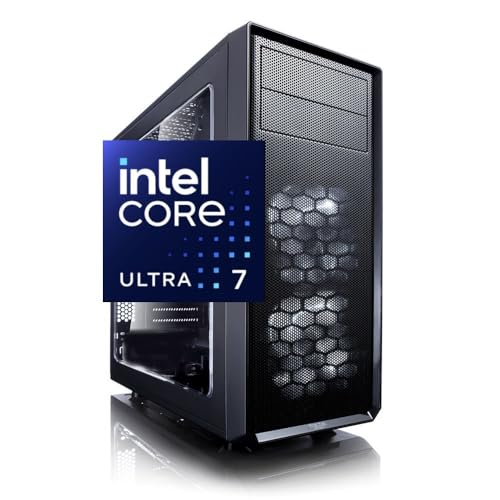
Designed for professional video editors and content creators, the CPU Solutions 4K/8K Video Editing PC delivers exceptional power and performance. With a 15th Gen Intel Core Ultra 7 processor boasting 20 cores and 20 threads, you’ll experience incredible speeds, reaching up to 5.3 GHz. The Quadro RTX 2000ADA graphics card, featuring 2,816 CUDA cores, guarantees stunning visuals across up to four monitors at 7680 x 4320 resolution. Plus, with 64GB of DDR5 RAM and a 2TB NVMe SSD, multitasking becomes effortless. This workstation’s efficient cooling and extensive connectivity options make it an ideal choice for serious video editing professionals.
Best For: Professional video editors and content creators seeking high-performance computing for 4K and 8K editing.
Pros:
- Exceptional Processing Power: Features a 15th Gen Intel Core Ultra 7 processor with 20 cores for superior multitasking and speed.
- High-Quality Graphics: Equipped with a Quadro RTX 2000ADA graphics card that supports stunning visuals across multiple monitors.
- Ample Storage and RAM: Includes 64GB of expandable DDR5 RAM and a 2TB NVMe SSD for efficient data handling and fast access.
Cons:
- Weight: At 33 pounds, the PC may be less portable compared to lighter alternatives.
- Price Point: May be cost-prohibitive for casual users or hobbyists due to its high-end specifications.
- Limited Upgradability: While expandable to 192GB RAM, other components may have restrictions on future upgrades.
CPU Solutions Express 4K to 8K Video Editing PC Desktop Workstation
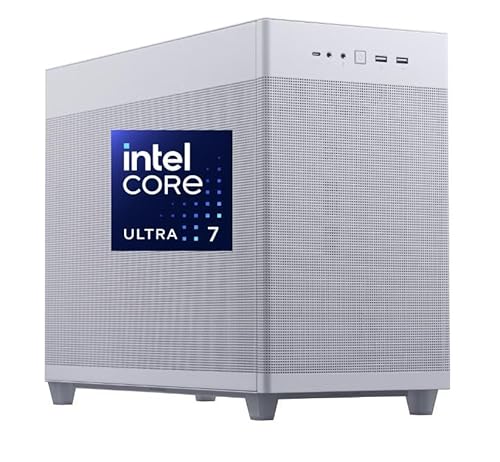
For video editors seeking top-tier performance in 8K editing, the CPU Solutions Express 4K to 8K Video Editing PC Desktop Workstation stands out with its powerful 15th Core Ultra 7 processor. This workstation boasts 20 cores running between 3.9 GHz and 5.5 GHz, delivering exceptional responsiveness for 4K HD video editing and 3D rendering. With 64GB of expandable RAM and a 2000GB NVMe SSD, you’ll enjoy lightning-fast read/write speeds. Plus, the NVIDIA Quadro RTX 2000 Ada GPU enhances graphics performance. Its effective cooling system and ample connectivity options guarantee you can tackle any editing project with ease.
Best For: Video editors and content creators who require high-performance hardware for 4K to 8K video editing and 3D rendering.
Pros:
- Exceptional processing power with a 15th Core Ultra 7 processor and 20 cores.
- High-speed storage with a 2000GB NVMe SSD, providing fast read/write speeds.
- Ample connectivity options, including support for up to four displays.
Cons:
- The price may be on the higher side for casual users or hobbyists.
- Limited warranty period of only one year may be a concern for long-term use.
- Expandability options for RAM may require additional investment for maximum capacity.
CPU Solutions VidCore Core Ultra 9 Video Editing PC
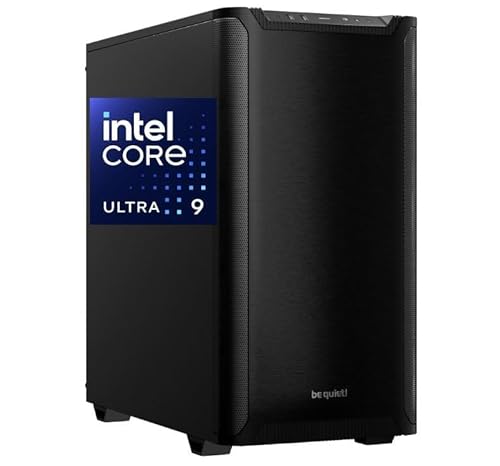
The CPU Solutions VidCore Core Ultra 9 Video Editing PC stands out as an exceptional choice for professional video editors seeking unparalleled performance in 8K editing. Powered by a 15th Gen Intel Core Ultra 9 processor, it features a robust 24-core setup with Turbo Boost Technology, ensuring lightning-fast processing speeds. The all-in-one liquid cooling system keeps your system stable during long editing sessions. With a Quadro RTX 2000 ADA graphics card and 16GB dedicated memory, you’ll experience stunning visuals across multiple high-resolution monitors. Plus, the 2TB NVMe SSD offers incredible read/write speeds, making your workflow seamless and efficient.
Best For: Professional video editors seeking high-performance hardware for 8K editing and multi-monitor setups.
Pros:
- Exceptional processing power with a 24-core Intel Core Ultra 9 processor and Turbo Boost Technology for fast rendering.
- High-quality graphics from the Quadro RTX 2000 ADA with 16GB dedicated memory, perfect for visual tasks.
- Fast storage with a 2TB NVMe SSD, providing rapid read/write speeds for smooth workflow.
Cons:
- Higher price point compared to entry-level video editing PCs, which may not be suitable for casual users.
- Limited upgradeability due to the integrated design of some components in the sleek tower.
- Potential overkill for users who do not require 8K editing capabilities or extensive multi-monitor setups.
CPU Solutions Express 4K to 8K Video Editing PC Desktop Workstation
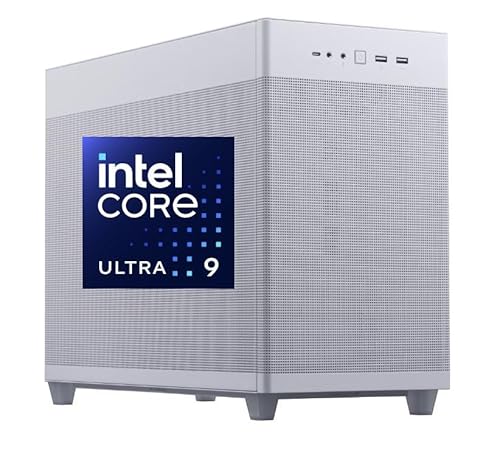
If you’re serious about video editing and want to tackle 8K projects, the CPU Solutions Express 4K to 8K Video Editing PC Desktop Workstation is an ideal choice. With a powerful 15th Core Ultra 9 processor clocking up to 5.7GHz and 24 cores, it guarantees smooth performance. You’ll appreciate the 64GB RAM and 2TB NVMe SSD, providing lightning-fast read and write speeds. The NVIDIA Quadro RTX 2000ADA graphics card boasts 16GB of ECC memory for stunning visuals. Plus, it supports multitasking with up to four high-resolution displays, making your editing workflow seamless and efficient.
Best For: Video editing professionals and enthusiasts looking to handle 4K to 8K projects with high efficiency and performance.
Pros:
- Exceptional processing power with a 15th Core Ultra 9 and 24 cores, ensuring smooth multitasking and rendering.
- High-speed 2TB NVMe SSD for fast data access and storage, enhancing overall productivity.
- Capable of supporting up to four high-resolution displays for an expansive and efficient editing workspace.
Cons:
- The workstation’s weight of 45 pounds may make it less portable compared to lighter alternatives.
- Higher price point may not be suitable for casual users or those on a tight budget.
- Limited warranty period of 3 years compared to some competitors offering longer coverage.
HP Z8 G4 Workstation (Renewed)

Designed specifically for demanding professionals, the HP Z8 G4 Workstation (Renewed) excels in handling 8K video editing and complex simulations. With dual Intel Xeon Gold 6143 processors boasting 36 cores, it delivers speeds up to 4.0GHz, ensuring rapid processing. You’ll appreciate the 256GB DDR4 RAM and 6TB SSD storage that accommodate massive data workloads seamlessly. Plus, the dual Nvidia Quadro P5000 graphics cards enhance your visual editing experience. This workstation runs professional software like ANSYS and After Effects effortlessly. As a renewed product, it’s been rigorously tested, ensuring you get exceptional performance backed by a minimum 90-day warranty.
Best For: Professionals in fields like video editing, 3D design, and complex simulations requiring high-performance computing capabilities.
Pros:
- High processing power with dual Intel Xeon Gold processors and 36 cores for efficient multitasking.
- Ample storage capacity with 6TB SSD for quick access to large files and applications.
- Dual Nvidia Quadro P5000 graphics cards provide superior visual performance for graphic-intensive tasks.
Cons:
- As a renewed product, it may not come with the latest hardware updates or software pre-installed.
- The workstation’s size and weight may not be suitable for portable use.
- Higher initial investment compared to entry-level workstations.
CPU Solutions VidCore 8K Video Editing & 3D Rendering PC

For professionals engaged in video editing and 3D rendering, the CPU Solutions VidCore 8K Video Editing & 3D Rendering PC stands out as an ideal choice. Powered by the Core Ultra 7 265KF and the RTX Pro 4000, this system delivers exceptional performance. With 64GB of high-speed RAM, you can run multiple demanding applications like Premiere Pro and After Effects without a hitch. The spacious 2TB SSD guarantees you’ve got ample storage for large project files and assets, while near-instantaneous boot-up and fast file transfer speeds drastically boost your productivity. It’s perfect for tackling 4K and 8K workflows seamlessly.
Best For: Professionals in video editing and 3D rendering who require high performance for demanding tasks.
Pros:
- Exceptional performance with Core Ultra 7 265KF and RTX Pro 4000 for seamless multitasking.
- 64GB high-speed RAM allows efficient handling of multiple demanding applications.
- 2TB SSD provides ample storage for large project files and quick file transfer speeds.
Cons:
- May be overkill for casual users or those with less demanding editing needs.
- Higher price point compared to entry-level systems.
- Limited upgrade options due to specific hardware configurations.
Factors to Consider When Choosing a Video Editing Workstation for 8K Editing
When you’re choosing a video editing workstation for 8K editing, several key factors come into play. You’ll want to take into account processor performance, memory and storage capacity, and graphics card specifications to guarantee smooth editing. Additionally, don’t overlook the importance of a good cooling system and available connectivity options.
Processor Performance Requirements
Choosing the right processor for 8K video editing is essential, as it greatly impacts your workflow and efficiency. Look for a processor with at least 24 cores and Turbo Boost capabilities up to 5.7 GHz to meet the immense demands of 8K editing. Features like Hyper-Threading and Virtualization Technologies will enhance your multitasking, allowing for smoother performance during intensive tasks. Aim for a cache size of 81MB or higher, as it notably improves data handling speeds essential for large files. Opt for a recent generation processor, such as the 15th Gen Intel Core series, to guarantee compatibility with advanced technologies. Finally, choose a processor capable of managing 32 threads or more for lag-free editing of multiple tasks simultaneously.
Memory and Storage Capacity
As you immerse yourself in 8K video editing, understanding the importance of memory and storage capacity is essential for a smooth workflow. You’ll want at least 64GB of RAM to manage large files and run multiple applications seamlessly. Some systems even support expansion up to 192GB, enhancing your multitasking capabilities. Fast storage solutions are equally important; opt for NVMe SSDs with a minimum capacity of 2TB to efficiently house massive 8K video files. Make sure your storage drive’s read/write speeds exceed 5.0GB/s to prevent bottlenecks during editing. Additionally, prioritize DDR5 RAM operating at higher frequencies, like 4800 MHz, for peak performance. Combining high-performance chipsets with ample memory and storage will greatly boost your workflow efficiency.
Graphics Card Specifications
Selecting the right graphics card is essential for achieving ideal performance in 8K video editing. You’ll want a card with at least 16GB of VRAM to guarantee smooth playback and rendering of high-resolution footage. Look for models that support multiple display outputs, as using several monitors can greatly enhance your workflow. Additionally, choose a graphics card featuring CUDA cores or equivalent technology to accelerate rendering times and boost performance in GPU-optimized software. A robust architecture, such as Ada Lovelace, is crucial for handling demanding tasks efficiently. Finally, high bandwidth memory like GDDR6 is important for managing the large data throughput of 8K files, helping to minimize bottlenecks during your editing and rendering processes.
Cooling System Efficiency
When working with high-performance components like powerful graphics cards for 8K editing, efficient cooling systems become a top priority. High temperatures can lead to throttling, reducing your processing speeds and affecting your workflow. All-in-one liquid coolers are often preferred for their superior heat dissipation over traditional air coolers. A well-designed cooling system not only prevents overheating but also extends the lifespan of vital components like CPUs and GPUs. To enhance cooling efficiency, look for workstations with mesh front panels and multiple airflow paths for better ventilation. Finally, regular maintenance is key—cleaning fans and radiators avoids dust buildup that can impede airflow and guarantees sustained performance during those intensive editing sessions.
Connectivity Options Available
A video editing workstation equipped with a variety of connectivity options can greatly enhance your 8K editing experience. Look for multiple USB ports, including USB 3.2 and Type-C, to connect various peripherals and storage devices seamlessly. Display options are equally important; make sure your workstation supports multiple high-resolution monitors with DisplayPort or HDMI outputs for an expansive editing workspace. High-speed networking, like Wireless AX, is vital for quick data transfers and smooth collaboration with cloud services or team members. Don’t overlook audio connectivity; advanced options, such as 7-channel HD audio, can elevate your sound quality during production. Finally, consider workstations with extensive expansion options for future upgrades, making certain your system evolves alongside technology advancements.
Warranty and Support Services
After ensuring your video editing workstation has robust connectivity options, it’s time to focus on warranty and support services. Consider the warranty duration, which typically ranges from one to three years, as it offers peace of mind against hardware failures. Look for systems that provide extensive support services, including technical assistance and troubleshooting, ensuring quick resolutions to any issues during editing. Make sure the warranty covers both parts and labor, reducing repair costs if components need replacement. Evaluate extended warranty options for long-term use, especially for high-investment workstations. Finally, check if the manufacturer offers a bloatware-free experience, as this can enhance performance and lessen initial setup and maintenance hassles. Choose wisely to protect your investment!