
Shopping for someone who lives in Photoshop all day? The best gifts are the ones that make their workflow smoother, their desk more comfortable, and their creative process a little more inspiring.
These Christmas gift ideas for Photoshop users focus on useful upgrades they’ll actually appreciate, from calibration tools and shortcuts to storage, lighting, and ergonomic essentials.
16 Christmas Gift Ideas for Photoshop Users to Consider in 2026
Versatile Pen Tablet
Wacom Intuos Medium Bluetooth Drawing Tablet

- Full-size pen tablet that suits Photoshop retouching and masking
- Battery-free pen and 4 ExpressKeys support a smoother workflow
- Bluetooth connectivity makes it a practical gift for Mac, Windows, or Chromebook users
Best For: Photoshop users who want a natural pen workflow for photo retouching, masking, and hand-drawn edits.
Large Editing Surface
XPPen Deco LW Wireless Drawing Tablet
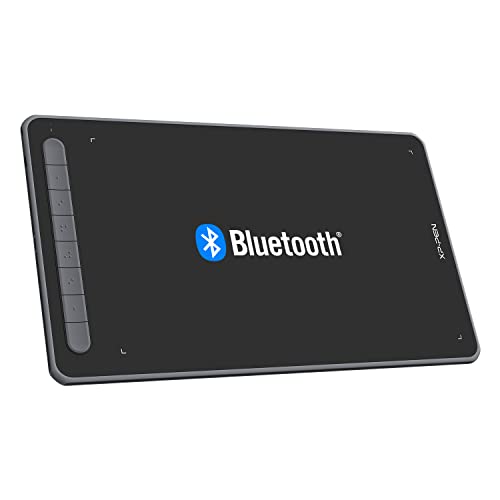
- 10x6 work area gives room for editing, sketching, and precise selections
- Wireless design and battery-free stylus fit a tidy Photoshop setup
- Broad compatibility makes it an easy gift for many computer setups
Best For: Photoshop users who want a larger pen tablet for detailed editing and precision work.
Speedy Editing Mouse
Logitech MX Master 3S Wireless Mouse

- MagSpeed scrolling helps move through panels and timelines quickly
- Quiet clicks and programmable buttons suit long Photoshop sessions
- 8K DPI tracking supports precise cursor control for detailed edits
Best For: Photoshop users who spend long hours navigating panels, timelines, and fine details.
Reduced Glare Upgrade
27-inch Anti-Glare Screen Protector 2-Pack
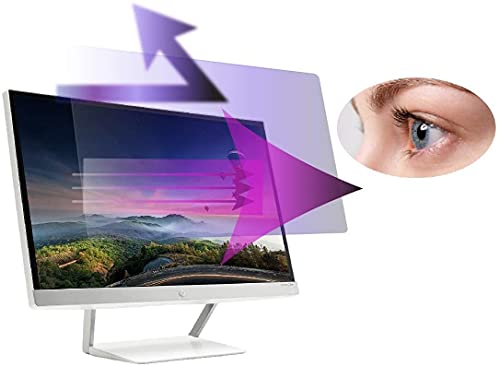
- Helps reduce reflections in bright rooms while editing
- Designed for a 27-inch 16:9 monitor with easy installation
- Useful for color-correcting and viewing work more comfortably
Best For: Photoshop users working in bright spaces who want less glare during editing and color correction.
Glare-Free Desk Lighting
BenQ ScreenBar Pro Monitor Light Bar

- Helps reduce screen glare for late-night Photoshop sessions
- Adjustable brightness and color temperature for ambient desk lighting
- A premium monitor accessory gift with broad appeal
Best For: Photoshop users who edit after dark and want better lighting without glare.
Color Accuracy Kit

- Supports white balance, exposure, and camera profiling
- Great for accurate color work in Photoshop projects
- Portable kit with a protective folding case
Best For: Photoshop users focused on portraits, product photos, and consistent color.
Desk Comfort Upgrade

- Memory foam support for keyboard and mouse comfort
- Ergonomic design for long editing sessions
- Affordable desk gift for home or office use
Best For: Photoshop users who spend long hours at the desk and want more comfort.
Creator Laptop Hub

- Adds HDMI, USB-A, and card-reader support for creative laptops
- Includes 100W Power Delivery for charging while you work
- A practical gift for Photoshop users using external drives, cards, and monitors
Best For: Photoshop users working on laptops who need a cleaner, more connected editing setup.
Fast File Backup

- Fast portable storage for large PSD files and photo libraries
- Ideal for backups and moving files between devices
- A trusted premium gift with strong ratings and broad appeal
Best For: Photoshop users who need reliable, speedy storage for projects and backups.
Dual-Screen Workspace

- Holds two monitors for tools, references, and canvases at once
- Fully adjustable steel stand with C-clamp or grommet mounting
- A solid gift for a more organized, productive editing desk
Best For: Photoshop users setting up a multi-monitor editing station.
Smooth Desk Setup

- Large desk mat gives a smooth, comfortable mouse surface
- Non-slip rubber base and stitched edges add everyday durability
- Great for tidying a workspace and improving desktop feel
Best For: Photoshop users who want a cleaner desk and a better mouse surface.
Quiet Shortcut Keyboard
AULA F99 Pro Wireless Silent Mechanical Keyboard

- Silent mechanical switches make shortcut-heavy editing feel quieter and more comfortable.
- Wireless BT/2.4GHz/USB-C options plus hot-swappable switches add flexible desk setup value.
- A premium gasket structure gives Photoshop users a nicer typing experience for long sessions.
Best For: Photoshop users who type shortcuts all day and want a quieter, more tactile desk upgrade.
Programmable Shortcut Pad
HUION Keydial Mini Bluetooth Shortcut Keypad

- 18 shortcut keys plus a dial help speed up repeated Photoshop actions.
- Programmable macro controls fit editing workflows that rely on frequent tool changes.
- Wireless shortcut keypad design makes it a practical desktop gift for creative setups.
Best For: Photoshop users who want faster access to tools, shortcuts, and repeated editing tasks.
Tablet Comfort Stand
Parblo PR 100 Universal Drawing Tablet Stand
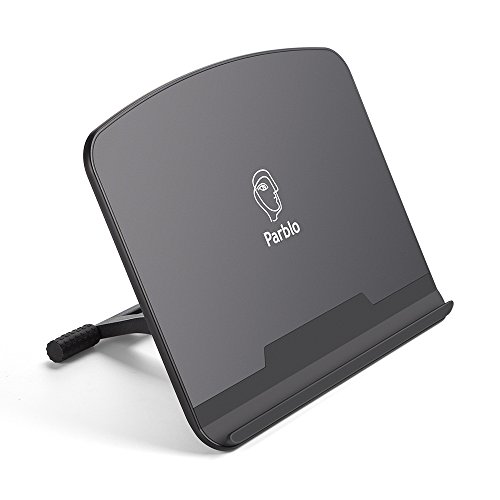
- Adjustable support helps angle drawing tablets and pen displays more comfortably.
- Made for 10–16 inch graphics drawing monitors, art tablets, and laptops.
- A practical desk accessory for Photoshop workflows using pen tablets or display tablets.
Best For: Photoshop users who want a more comfortable angle for pen tablets or display tablets.
Retouching Skill Guide
Professional Portrait Retouching Techniques for Photoshop

- A Photoshop-focused reference book for learning portrait retouching techniques.
- Great for users who want to sharpen editing skills and pick up new methods.
- A thoughtful gift for anyone looking to study practical photo editing workflows.
Best For: Photoshop users who want to improve their retouching skills or learn new techniques.
Why These Christmas Gift Ideas for Photoshop Users Work
The best gifts for Photoshop users are the ones that remove friction from everyday editing. Whether they retouch portraits, design graphics, or manage large image files, practical tools can save time and reduce eye strain. This list includes thoughtful picks that support a better editing setup without feeling overly niche or difficult to use.
How to Choose the Right Gift
Start with how they work. If they spend hours refining details, a drawing tablet, shortcut keypad, or precision mouse can be more useful than a decorative gift. If they care about color accuracy, calibration tools are smart choices. If their desk feels crowded, consider storage, a monitor stand, or a compact USB-C hub that helps simplify their setup.
Think About Their Workflow
Some Photoshop users edit on a laptop, while others build a full desktop station with dual monitors and accessories. Gifts that match their environment tend to get used more often. A portable SSD is ideal for photographers moving large files, while a monitor light bar or anti-glare screen protector is great for anyone working long hours at a screen.
Consider Comfort and Speed
Ergonomic items can be especially appreciated during busy editing seasons. Wrist rests, large desk mats, and adjustable tablet stands all help create a more comfortable workspace. For speed, programmable devices and wireless shortcuts can make repetitive tasks easier and more efficient.
Budget Considerations
You do not need to spend a lot to find a meaningful Photoshop gift. Smaller accessories like a wrist rest, desk mat, screen protector, or book can be excellent under-$50 options. Mid-range gifts often include a wireless mouse, USB-C hub, or keyboard accessory. If you want a bigger present, a tablet, monitor calibration device, or external SSD makes a strong premium choice.
If you are unsure what they already own, look for universally useful upgrades. Items that improve lighting, desk comfort, and color accuracy are safe bets because they support nearly every Photoshop workflow.
Personalization Tips
The most memorable gifts feel tailored to the person. For a photographer, prioritize color calibration, storage, or editing references. For a designer, shortcut devices and a responsive mouse may be the best fit. For someone building a new creative workspace, matching accessories like a keyboard, mouse pad, and monitor stand can create a polished setup.
You can also add a personal touch by pairing a practical gift with a handwritten note about why you chose it. A useful tool feels even more thoughtful when it reflects the recipient’s creative style and daily routine.
Last-Minute Buying Advice
If you are shopping late, stick with reliable gifts that do not require a precise model match. Universal accessories, portable storage, books, and wireless peripherals are easier to buy quickly and still feel intentional. For Christmas Gift Ideas for Photoshop Users, last-minute success usually comes from choosing something useful, compact, and compatible with a wide range of setups.
When in doubt, choose a gift that improves editing comfort or speeds up common tasks. That way, even a simple present becomes a tool they will reach for all year long.