
A quality field monitor can make focusing, framing, and exposure decisions much easier than relying on a camera’s built-in display. Waveform monitoring is especially useful for judging brightness objectively in changing light.
We compared 10 camera field monitors with waveform-related tools, emphasizing screen visibility, resolution, monitoring features, HDMI or SDI connectivity, power options, and practical use in the field.
Best 10 Camera Field Monitors with Waveform Picks for 2026
Bright Outdoor Workhorse
NEEWER F700 7-inch 2000nit Monitor
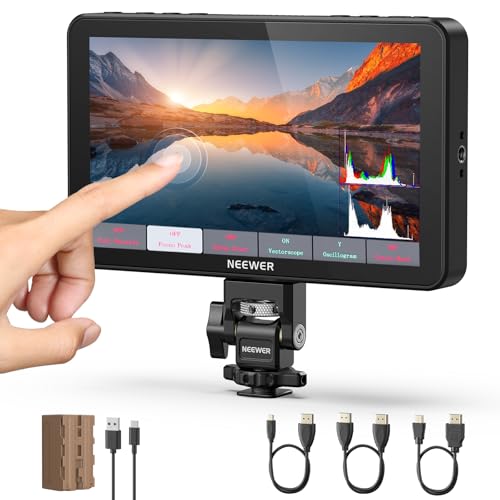
- 2000-nit touchscreen for bright conditions
- Waveform, vectorscope, false color, and peaking tools
- 4K HDMI loop-through with included 5200mAh battery
Best For: Outdoor productions needing a large, highly visible monitoring screen
Connected Control Specialist
VILTROX DC-550 Pro II 5.5-inch Monitor

- 1400-nit touchscreen with 4K 60Hz transmission
- Waveform supports three magnification levels
- USB-C or Wi-Fi control for select Canon, Sony, and Nikon cameras
Best For: Solo shooters who need camera control and vertical-orientation flexibility
OLED Contrast Pick
NEEWER F700U 7-inch OLED Monitor

- 7-inch OLED display with 100000:1 stated contrast
- Waveform, vectorscope, false color, and HDR tools
- 4K HDMI loop-out plus 3G-SDI input and output
Best For: Video crews needing OLED contrast and SDI connectivity
Compact Kit Value
VILTROX DC-550 5.5-inch Field Monitor

- 1200-nit touchscreen with included sunshade
- Waveform, vectorscope, histogram, and focus assist
- Includes battery, cables, cold shoe adapter, and case
Best For: Compact DSLR and mirrorless rigs needing a ready-to-use monitoring kit
Professional SDI Monitoring
FEELWORLD FW703 7-Inch Monitor
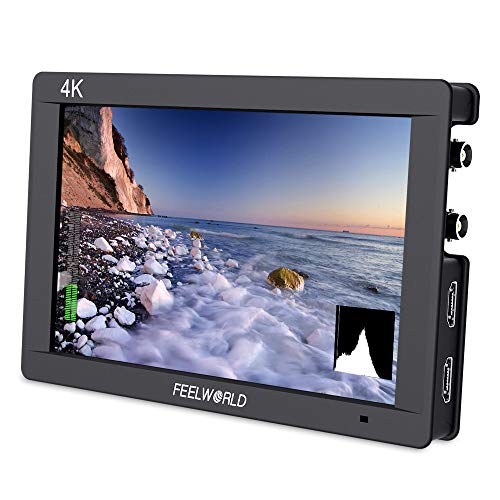
- 7-inch 1920×1200 IPS display
- Waveform, vector scope, histogram, and false color
- HDMI 4K plus 3G-SDI connectivity
Best For: Studio, broadcast, interview, and multi-camera production
Bright Touchscreen Video Assist
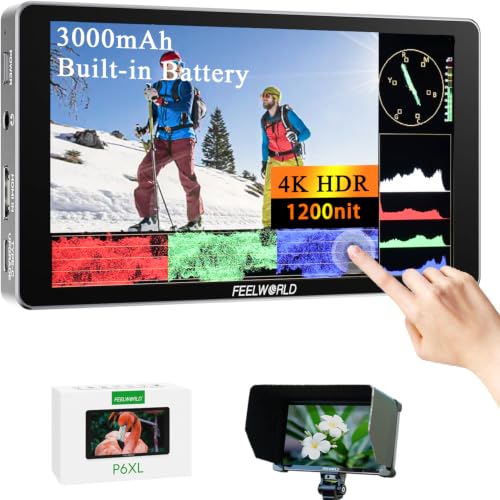
- 1200-nit Full HD touchscreen
- Built-in battery with up to 2 hours at full brightness
- Waveform, vector scope, HDR, and 3D LUT support
Best For: Portable outdoor and location shooting
Ultra-Bright Outdoor Monitoring
FEELWORLD F5 Prox 5.5-Inch Monitor

- 1600-nit display for sunlight visibility
- Waveform, histogram, false color, and focus peaking
- Touch control with LUT preview support
Best For: Outdoor filming, travel vlogs, and lightweight camera rigs
Bright, Feature-Rich Pick

- 800-nit Full HD IPS screen
- Waveform, vectorscope, and false color
- 4K HDMI input/output with pass-through
Best For: Outdoor shooters wanting comprehensive monitoring tools
Bright Lightweight Upgrade

- 1200-nit 6-inch Full HD display
- Waveform, vectorscope, and LUT preview
- USB-C or NP-F power with camera output
Best For: Outdoor and gimbal-based production
Budget-Friendly Beginner Monitor
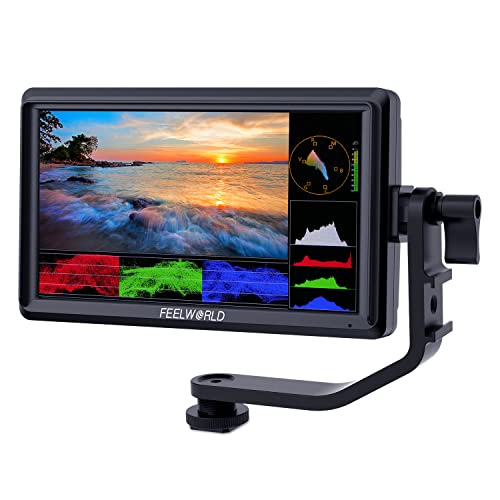
- 6-inch Full HD IPS display
- Waveform, vectorscope, and 3D LUT support
- Lightweight design for indoor setups
Best For: Beginners creating indoor videos and livestreams
Bright Outdoor Workhorse – NEEWER F700 7-inch 2000nit Monitor
For filmmakers who need camera field monitors with waveform tools in changing light, the NEEWER F700 combines a very bright 7-inch touchscreen with a full set of exposure and focus aids. Its 4K HDMI loop-through, custom LUT support, and included high-capacity battery make it a practical choice for DSLR and mirrorless production.
Best For: Outdoor shoots and creators who want a large, highly visible display with extensive monitoring tools.
Pros:
- 2000-nit IPS screen with manual and automatic backlight adjustment.
- Includes full waveform, vectorscope, false color, zebras, histogram, and peaking focus.
- 4K HDMI loop in/out, headphone monitoring, and support for up to 60 custom LUTs.
- Includes a 5200mAh NP-F750 battery and offers USB-C, NP-F, and DC power options.
Cons:
- The 7-inch monitor is larger and heavier than compact 5.5-inch alternatives.
- DC power cable and SD card are not included.
The F700 stands out when daylight visibility and a broad toolkit matter most. It is a particularly capable option for operators who want waveform monitoring without sacrificing screen size or flexible power.
Connected Control Specialist – VILTROX DC-550 Pro II 5.5-inch Monitor
The VILTROX DC-550 Pro II is one of the more versatile camera field monitors with waveform support, pairing a 1400-nit touchscreen with wired or wireless camera control. It also adds 4K at 60Hz transmission, rotation support, and professional exposure tools for solo operators and mobile productions.
Best For: Solo shooters who want remote camera adjustments, vertical shooting support, and detailed waveform analysis.
Pros:
- 1400-nit 5.5-inch IPS touchscreen with 1920×1080 resolution.
- Waveform offers three magnification levels with movement, alongside histogram and vectorscope tools.
- USB-C or Wi-Fi camera control can adjust supported cameras’ exposure and focus settings.
- Supports 4K 60Hz HDMI input and output plus multiple power methods.
Cons:
- Camera control is limited to the listed compatible Canon, Sony, and Nikon models.
- The supplied notes do not specify the included battery capacity.
Its strongest advantage is integration: the monitor can reduce repeated camera-body adjustments while providing serious image analysis. Verify camera compatibility before buying, especially if wireless control is central to your workflow.
OLED Contrast Pick – NEEWER F700U 7-inch OLED Monitor
For users comparing camera field monitors with waveform capability and professional connectivity, the NEEWER F700U offers a 7-inch OLED display with exceptionally high stated contrast. HDMI loop-through, 3G-SDI input/output, LUT support, and a comprehensive toolset make it suited to more advanced video setups.
Best For: Videographers who need OLED contrast and both HDMI and SDI connectivity on set.
Pros:
- OLED panel delivers a stated 100000:1 contrast ratio at 1920×1080 resolution.
- Includes waveform, vectorscope, false color, zebra, histogram, HDR, and audio-level tools.
- Provides 4K HDMI input/loop-out and 3G-SDI input/output for professional video connections.
- Two 4400mAh NP-F750 batteries are included, with USB-C and DC power options.
Cons:
- SDI cables and the DC 12V adapter are not included.
- Its 1200-nit brightness is lower than the 2000-nit NEEWER F700.
The F700U is the better fit when contrast rendering and SDI compatibility are priorities. It offers a strong balance of field-monitoring aids and connection flexibility for productions that move beyond HDMI-only workflows.
Compact Kit Value – VILTROX DC-550 5.5-inch Field Monitor
The VILTROX DC-550 is a compact option for shoppers seeking camera field monitors with waveform functions, a daylight-viewable screen, and useful accessories in the box. Its 5.5-inch touchscreen includes exposure and focus aids, while HDMI loop-through and a sunshade support practical on-location operation.
Best For: DSLR, mirrorless, and camcorder users who want a compact monitor kit with core professional tools and accessories.
Pros:
- 1200-nit 5.5-inch IPS touchscreen with 1920×1080 native resolution.
- Includes parade waveform, vectorscope, histogram, false color, focus assist, and audio levels.
- Supports 4K HDMI input/output, custom 3D LUTs, HDR, and headphone monitoring.
- Includes sunshade, NP-F550 battery, cables, cold shoe adapter, and carrying case.
Cons:
- HDMI support is specified up to 4K at 30Hz rather than 4K at 60Hz.
- Only one NP-F550 battery is included, which may require a spare for longer shoots.
This DC-550 is appealing when portability and included accessories matter as much as monitoring features. It delivers the essential waveform and focus tools without the size of a 7-inch field monitor.
Professional SDI Monitoring – FEELWORLD FW703 7-Inch Monitor
For camera field monitors with waveform support, the FEELWORLD FW703 combines a 7-inch Full HD display with practical exposure and focus tools. Its HDMI 4K and 3G-SDI connectivity makes it a flexible choice for studio, interview, broadcast, and multi-camera workflows.
Best For: Filmmakers and production teams needing SDI connectivity, a larger monitoring screen, and detailed on-set image analysis.
Pros:
- 7-inch 1920×1200 IPS display with Rec.709 color standard.
- Waveform, vector scope, RGB histogram, focus peaking, and false color support precise monitoring.
- HDMI 4K and 3G-SDI inputs support DSLR, mirrorless, cinema, camcorder, and switching setups.
- Supports custom 3D LUTs for previewing a Log shooting look.
Cons:
- Its 1.85-pound size may be less convenient for lightweight handheld or gimbal rigs.
- The supplied notes do not indicate a built-in battery or touchscreen control.
The FW703 is a strong fit when dependable SDI connectivity and comprehensive waveform-based monitoring matter more than minimizing rig size. It is especially practical for controlled production environments and multi-camera work.
Bright Touchscreen Video Assist – FEELWORLD P6XL 6-Inch Monitor
The FEELWORLD P6XL is a useful option among camera field monitors with waveform for mobile shooters who need visibility in changing light. Its 1200-nit touchscreen, built-in battery, HDR support, and multiple waveform displays put exposure and color tools in a compact package.
Best For: Photographers and videographers who want a portable, sunlight-viewable monitor with touch control and built-in power.
Pros:
- 1200-nit 6-inch Full HD IPS touchscreen is designed for visibility in bright conditions.
- Built-in 3000mAh battery provides up to 2 hours of runtime at 100% brightness.
- Offers RGB Parade, YUV Parade, Y Parade, vector scope, histogram, and audio monitoring displays.
- Supports HDR, custom 3D LUTs, screenshots, and image overlays.
Cons:
- Connectivity is HDMI only according to the supplied specifications.
- The glossy screen finish may be less ideal in some reflective environments.
- Two-hour maximum runtime at full brightness may require supplemental power for longer shoots.
The P6XL stands out for shooters who prioritize portability and fast touchscreen access to waveform and HDR tools. Its integrated battery and high-brightness display make it particularly convenient for location work.
Ultra-Bright Outdoor Monitoring – FEELWORLD F5 Prox 5.5-Inch Monitor
For creators comparing camera field monitors with waveform, the FEELWORLD F5 Prox offers a compact 5.5-inch touchscreen with a very bright 1600-nit display. It is designed to make focus, exposure, and framing easier to judge during outdoor filming and mobile camera work.
Best For: Vloggers, filmmakers, photographers, and videographers working outdoors or on lightweight rigs.
Pros:
- 1600-nit brightness is designed for visibility in direct sunlight.
- Waveform, histogram, false color, and focus peaking help with exposure and focus decisions.
- Touchscreen operation and LUT preview support a streamlined shooting workflow.
- Compatible with DSLR, mirrorless, and cinema cameras, plus cages, gimbals, tripods, and handheld rigs.
Cons:
- At 5.5 inches, the display is smaller than the FW703 and P6XL screens.
- The supplied notes do not specify waveform types, resolution, or connectivity details.
- Battery operation requires a lithium-ion battery, which is included but adds a power-management consideration.
The F5 Prox is a practical choice when outdoor readability and compact mounting are the priorities. Its high brightness and core waveform-based tools suit field production, travel content, events, and handheld setups.
Bright, Feature-Rich Pick – Desview P5II
The Desview P5II is a strong choice among camera field monitors with waveform for shooters who need detailed exposure and focus tools in a compact, sunlight-friendly monitor. Its 5.5-inch Full HD IPS display, 800-nit brightness, and HDMI pass-through suit DSLR and mirrorless camera rigs.
Best For: Outdoor filmmakers, photographers, and crews needing waveform tools plus HDMI signal pass-through.
Pros:
- Includes waveform, vectorscope, histogram, false color, focus peaking, and zoom.
- 800-nit display with a detachable, reversible sunshade improves bright-location visibility.
- 4K HDMI input and output support monitoring while passing the signal to another device.
- Supports NP-F batteries, 7–24V barrel power, and battery-percentage display.
Cons:
- NP-F battery is not included.
- The 5.5-inch screen is smaller than the 6-inch alternatives.
Choose the P5II if exposure analysis, flexible connectivity, and a durable field-ready design matter more than having the largest screen.
Bright Lightweight Upgrade – FEELWORLD FW568 PRO
The FEELWORLD FW568 PRO is a practical option for creators comparing camera field monitors with waveform, especially when direct-sunlight visibility and low weight are priorities. Its 6-inch 1200-nit Full HD IPS screen combines professional exposure tools with flexible power options.
Best For: Outdoor productions, travel vloggers, and gimbal users who need a bright monitor without a bulky setup.
Pros:
- 1200-nit brightness is designed for clear viewing in direct sunlight.
- Waveform, vectorscope, RGB histogram, focus assist, and LUT preview support more controlled shooting.
- 6-inch 1920×1080 IPS display and 4K HDMI input/output provide a detailed monitoring image.
- Supports NP-F or USB-C 5V power and can provide DC 8.4V output to a camera.
Cons:
- Its larger 6-inch format may be less compact than a 5.5-inch monitor.
- The supplied notes identify it as lightweight, but listed package weight is 1.76 pounds.
The FW568 PRO is the better fit when maximum brightness and a larger viewing area are central to your outdoor workflow, while its monitoring tools help refine exposure and focus.
Budget-Friendly Beginner Monitor – FEELWORLD FW568
The FEELWORLD FW568 offers an accessible way to add waveform monitoring to DSLR, mirrorless, and camcorder setups. Its 6-inch Full HD IPS screen and broad exposure and focus tools are well suited to indoor filming, tripod work, and everyday content creation.
Best For: Beginner vloggers, interview creators, livestreamers, and indoor shooters seeking a lightweight external monitor.
Pros:
- Includes waveform, vectorscope, RGB histogram, false color, peaking, and focus assist.
- Supports up to 32 custom 3D LUTs for previewing a Log-shooting look.
- 6-inch 1920×1080 IPS display provides a larger framing view than a camera screen.
- 4K HDMI input/output and DC 8.4V camera power output support flexible rigs.
Cons:
- 450-nit brightness is better suited to indoor use than direct sunlight.
- It lacks the higher brightness of the FW568 PRO and Desview P5II.
For controlled lighting and budget-conscious setups, the FW568 delivers an extensive toolset and a useful 6-inch display without requiring a more specialized field monitor.
How We Picked the Best Camera Field Monitors with Waveform
We focused on monitors that offer useful exposure and focus-assist tools, including waveform, vectorscope, histogram, false color, zebras, peaking, and 3D LUT support where specified. We also considered screen size, resolution, brightness, touchscreen controls, mounting flexibility, loop-through capability, and battery compatibility.
Product specifications vary by version, so confirm the included battery plate, cable type, input resolution, and waveform availability before ordering. A monitor may support a feature through its menu system without including every accessory needed for a complete rig.
Quick Comparison
| What to Compare | Best Fit |
|---|---|
| Highest outdoor visibility | Models rated from 1,400 to 2,000 nits |
| Compact camera rigs | 5.5-inch monitors with HDMI input |
| More viewing space | 6- or 7-inch models |
| Professional SDI workflows | A monitor with 3G-SDI connectivity |
| Exposure and color evaluation | Waveform, vectorscope, false color, and LUT tools |
| Long handheld or gimbal sessions | Models with efficient battery options or built-in power |
Key Buying Factors for Camera Field Monitors with Waveform
Brightness and Screen Size
Brightness matters most outdoors. A 450-nit display can work in shade or with a hood, while 1,200 nits or more is a safer choice for direct sunlight. Larger 6- or 7-inch screens are easier to inspect, but they add weight and occupy more space on a compact rig.
Waveform and Exposure Tools
Waveform lets you evaluate luminance across the image instead of guessing from a screen that may be affected by ambient light. Look for additional tools such as false color, zebras, histogram, and vectorscope if you shoot log footage, product video, interviews, or scenes with difficult contrast.
Resolution, Touch Controls, and LUT Support
A 1,920-by-1,080 panel provides a useful viewing surface for 4K HDMI feeds, while touch controls can speed up menu navigation and image inspection. 3D LUT support is valuable when you need to preview a graded look, but it should not replace reliable exposure tools.
Inputs, Loop-Through, and Power
Check whether your camera outputs HDMI or SDI and whether the monitor supports the signal’s frame rate. HDMI loop-out is useful for sending the feed to a recorder or director’s monitor. Also verify battery type, runtime expectations, DC input, and whether a sunshade is included.
Who Should Buy Which Camera Field Monitors with Waveform?
Outdoor shooters: Choose one of the brightest models, particularly a 1,400- or 2,000-nit option, if you regularly work in direct sunlight.
Solo filmmakers and hybrid-camera users: A 5.5- or 6-inch touchscreen monitor balances portability with waveform, focus tools, and a larger view than the camera display.
Studio and narrative crews: Prioritize accurate monitoring features, LUT support, dependable power, and loop-through or SDI connectivity over minimum size.
Budget-conscious users: A 450-nit monitor can be a sensible choice for indoor work, shaded locations, and occasional use with a hood. For frequent exterior production, paying more for higher brightness is usually worthwhile.