
A useful computer accessory can make everyday work, creative projects, and video calls more comfortable. These Christmas gift ideas range from small desk additions to larger upgrades, so consider how she uses her computer and what her setup can support.
12 Computer Accessory Gifts to Consider
1. EMEET NOVA 4K Webcam
A Clearer Video Call Upgrade

- Offers 4K video at 30 fps, with 1080p as the default setting.
- PDAF autofocus and automatic light adjustment help keep the image clear.
- Includes dual microphones and a privacy cover.
Best For: Someone who takes video calls, streams, or records tutorials at a computer.
2. MEETION Ergonomic Keyboard and Mouse Combo
A More Considered Desk Setup
MEETION Ergonomic Keyboard and Mouse Combo

- Split full-size keyboard has a cushioned wrist rest.
- Includes a rechargeable vertical mouse with adjustable DPI.
- Keyboard and mouse share a 2.4GHz USB-A receiver.
Best For: A frequent typist looking for a different keyboard and mouse layout.
3. Acer 9-in-1 USB-C Docking Station
One Hub for a Laptop Desk
Acer 9-in-1 USB-C Docking Station

- Provides two HDMI ports, three USB-A ports, one USB-C port, and SD and microSD slots.
- Supports dual HDMI displays up to 4K at 60Hz when connected devices support it.
- Requires a USB-C port with DisplayPort Alt Mode; power delivery also depends on laptop support.
Best For: A laptop user who wants to connect displays, storage, and peripherals through a dock.
4. Univivi 36-Inch Under-Desk Cable Tray
A Tidy Desk Foundation
Univivi 36-Inch Under-Desk Cable Tray

- 36-inch fabric tray holds and hides adapters, sockets, and cables under a desk.
- Can be installed with clamps or screws.
- Measure the desk first; the product calls for at least 5.3 inches of clear edge space.
Best For: Someone who wants to organize cables beneath a home or office desk.
5. FIFINE AmpliGame AM8 USB/XLR Microphone
For Her Voice and Creative Projects
FIFINE AmpliGame AM8 USB/XLR Microphone

- Connects by USB for direct computer use or by XLR with a separate cable and audio interface.
- USB mode includes tap-to-mute, a headphone jack, and controllable RGB lighting.
- The maker suggests placing the mic 2 to 6 inches from the sound source.
Best For: Someone who records voiceovers, podcasts, or streams from a computer.
6. Yodoit 15.6-Inch Portable Monitor
A Second Screen That Travels
Yodoit 15.6-Inch Portable Monitor

- 15.6-inch FHD IPS screen with 1920×1080 resolution and matte finish.
- Connects by USB-C or by Mini HDMI with USB-C to USB-A power.
- Includes a smart cover and built-in speakers; check device video-output compatibility.
Best For: A laptop user who works in different places and wants extra screen space.
7. HUION Keydial Mini Bluetooth Keypad
Shortcuts for Creative Work
HUION Keydial Mini Bluetooth Keypad

- Includes 18 programmable shortcut keys and a dial with up to three functions.
- Bluetooth 5.0 connection and a thin, one-handed design.
- Shortcut customization requires the Huion driver and compatible software features.
Best For: A digital artist, designer, or editor who repeats software shortcuts.
8. HUANUO FlowLift Pro Monitor Arm
A Flexible Monitor Position
HUANUO FlowLift Pro Monitor Arm

- Fits 13–32-inch screens weighing 4.4–15.4 pounds with VESA 75×75mm or 100×100mm mounting.
- Offers tilt, swivel, and rotation adjustments with a C-clamp or grommet base.
- Recommended for wood desks 0.59–3.54 inches thick; check desk and monitor fit.
Best For: Someone with a compatible monitor who wants adjustable screen placement.
9. ProtoArc EM11 NL Vertical Mouse
A Different Kind of Mouse Grip
ProtoArc EM11 NL Vertical Mouse

- Vertical shape is designed for small to medium hands under 7.5 inches long.
- Connects to up to three devices using Bluetooth or a USB-A receiver.
- Rechargeable, with 1000, 1600, and 2400 DPI settings; allow time to adjust to the shape.
Best For: Someone with small to medium hands curious about a vertical mouse.
10. LOXP Adjustable Rotating Laptop Stand
A Lift for Her Laptop
LOXP Adjustable Rotating Laptop Stand

- Height and angle adjust, and the base rotates 360 degrees.
- Foldable design works with laptops from 10 to 16 inches.
- Non-slip silicone helps keep the laptop from sliding.
Best For: A laptop user who wants to position her screen at a desk.
11. Large Extended Gaming Mouse Pad
A Roomier Desk Surface
Large Extended Gaming Mouse Pad
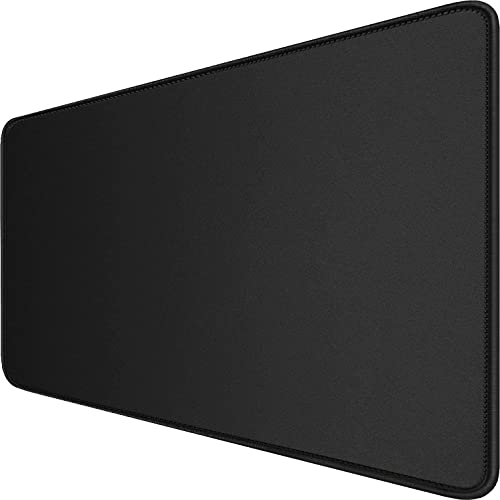
- 31.5-by-15.7-inch surface has space for a mouse, keyboard, and other desk items.
- Non-slip natural rubber base and stitched edges.
- Waterproof coating is designed to make spills easier to clean.
Best For: Someone who uses a mouse and keyboard daily and wants a broad desk mat.
12. ASUS ProArt PA279CV 27-Inch 4K Monitor
A Bigger Canvas for Creative Work
ASUS ProArt PA279CV 27-Inch 4K Monitor
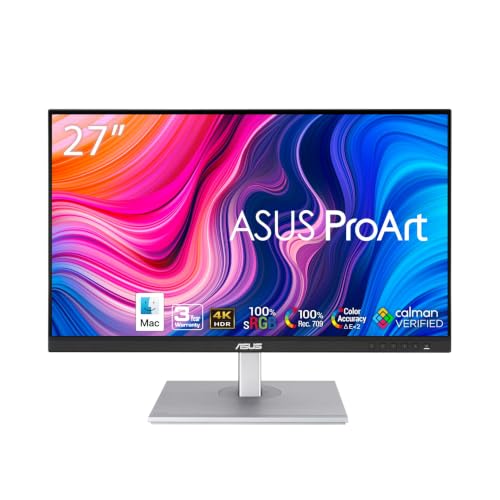
- 27-inch 4K UHD display with USB-C power delivery up to 65W.
- Includes DisplayPort, HDMI, and a USB hub for connecting devices.
- Product notes list factory calibration and 100% sRGB and Rec. 709 color gamut.
Best For: A photo or video editor, or anyone who wants a larger high-resolution display.
Choosing a Gift for Her Computer Setup
Start with the way she uses her computer. A webcam or microphone suits someone who spends time on calls or makes recordings. A portable monitor or docking station can help a laptop user who works across rooms or connects several devices. For a creative workflow, the HUION keypad adds shortcuts, while a larger monitor offers more screen area for editing and multitasking. Desk comfort and organization point toward the keyboard and mouse combo, vertical mouse, laptop stand, monitor arm, cable tray, or extended pad.
Use what you know about her existing setup. If you are unsure, observe which small frustrations come up: a crowded desk, awkward laptop height, too few ports, or a need to move between windows. These clues can make computer accessory Christmas gift ideas feel personal without requiring a guess about her exact preferences.
Match the Gift to Your Budget
Smaller workspace accessories, such as the extended mouse pad or cable tray, can refresh a desk without changing the computer itself. A keypad, laptop stand, or mouse is a more focused personal upgrade. A webcam, microphone, or docking station can be a mid-sized setup improvement, while a portable or full-size monitor is a more substantial gift. The supplied information does not include prices, so compare current costs before deciding and account for any extra parts the setup may need, such as an XLR cable or power adapter.
Think about the full cost of using the gift. The Acer dock may need a 100W-plus power adapter for its stated charging capability. The microphone’s XLR connection requires a separate cable and an audio interface or mixer. Those details can affect whether a gift is ready to use with what she already owns.
Check Compatibility and Personalization
Compatibility matters especially for laptop docks, monitors, and mounts. The Acer dock needs a full-featured USB-C port with DisplayPort Alt Mode for display output; power delivery depends on the laptop port and a suitable adapter. The portable monitor has USB-C and Mini HDMI connection options, so check the computer’s video-output ports. Before choosing the HUANUO monitor arm, check the screen size, weight, VESA pattern, and desk thickness against its listed requirements.
Personal comfort also varies. The ProtoArc vertical mouse is intended for hand lengths under 7.5 inches and has a learning curve. A split keyboard changes hand position and takes up more desk space than a conventional compact keyboard. If exact fit is uncertain, a desk mat, cable tray, or webcam may be easier to choose from the information available. For the cable tray, measure desk clearance, particularly around drawers and rear supports.
Timing and Last-Minute Decisions
For a last-minute decision, favor a gift whose fit is easy to verify and whose setup needs are already understood. A mouse pad or cable tray has fewer computer-port requirements than a dock or monitor, though the tray still needs enough desk-edge clearance. Check current stock and delivery dates directly before ordering; timing can vary.
For a larger accessory, ask a low-key question about her laptop model, monitor, or desk before buying, or check the labels and ports on equipment she uses. If Christmas is close, choose something useful on its own and include a note explaining the setup details to confirm. That turns a practical accessory into a considered gift while leaving room to match it carefully to her workspace.